PurchaseIn
The purchasing platform LinkedIn had tried to build for five years. One product, three very different users, each landing exactly where they need to be.
- Problem
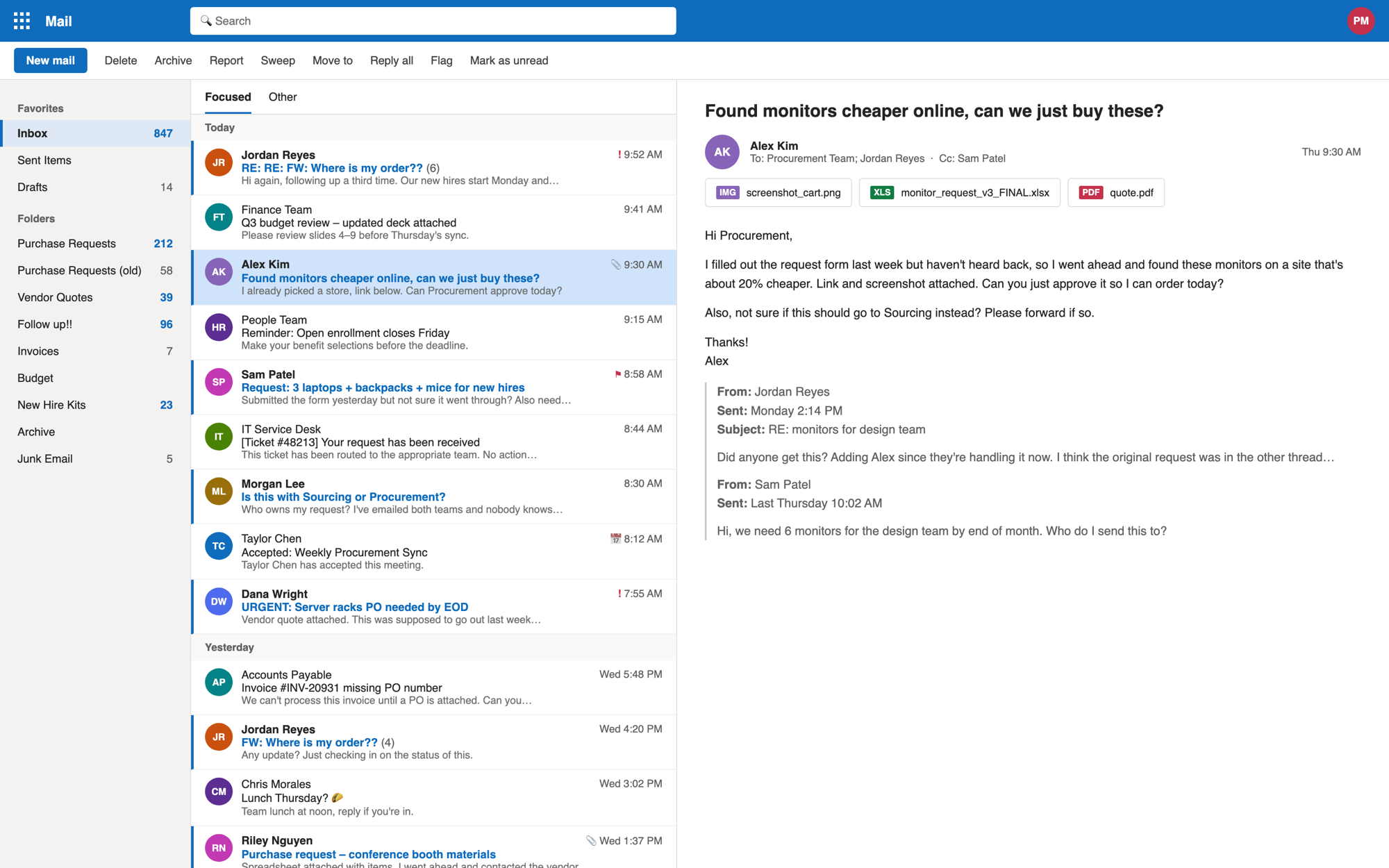
- Purchases started on a form built for IT and HR, then disappeared into email. Requesters skipped Sourcing and couldn't see where their orders were.
- Solution
- A new purchasing platform with a dashboard for each role, a timeline requesters check themselves, and every message kept inside the request.
- ~$2.8Bof employee spend a year runs through it
- 47 → 29 daysrequest cycle time, ~38% faster
- ~43%fewer “Where's my order?” tickets
- 4.5+CSAT, and it never dipped below
Estimated. About 500–800 tickets a month, including ~$800M a year in data center spend.
-
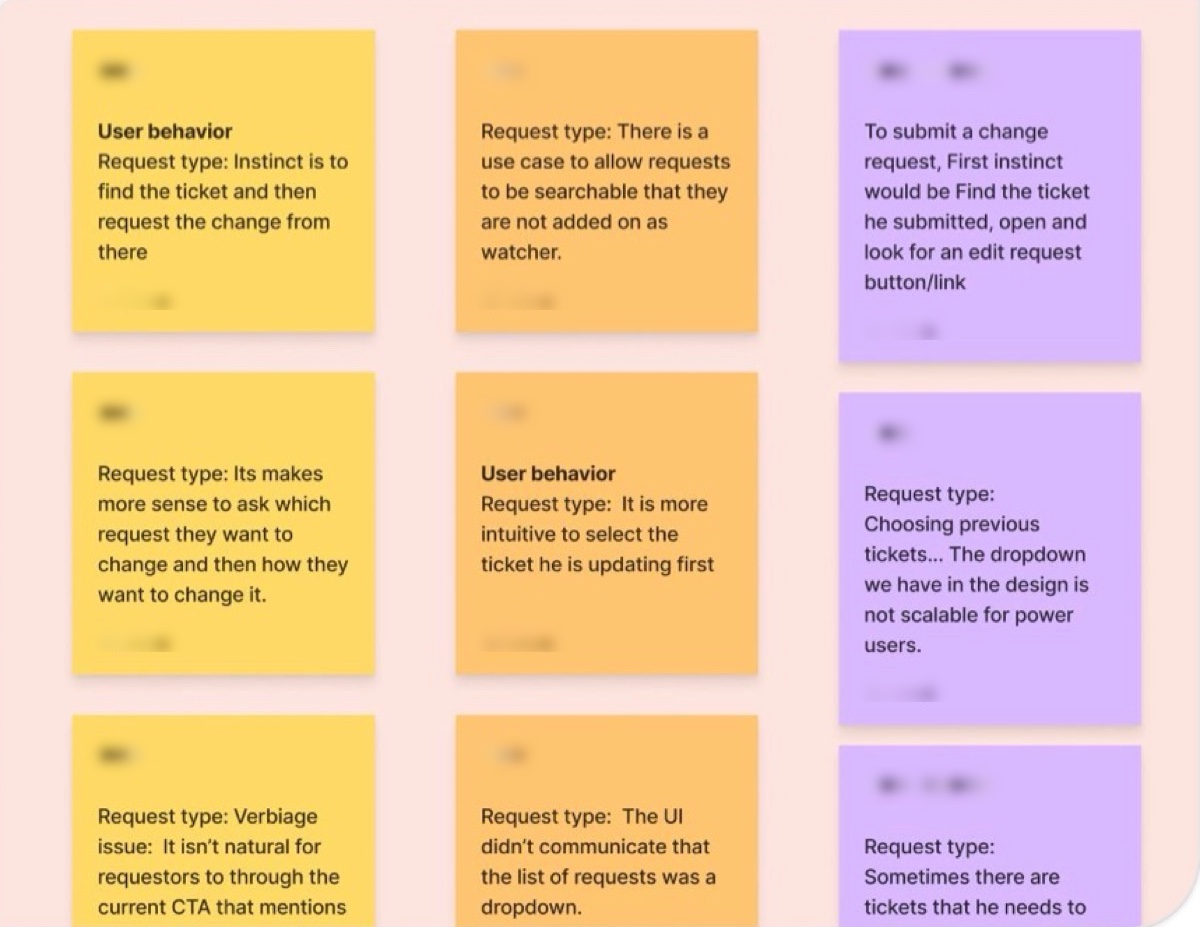 01 Listen Interviews with all three user groups
-
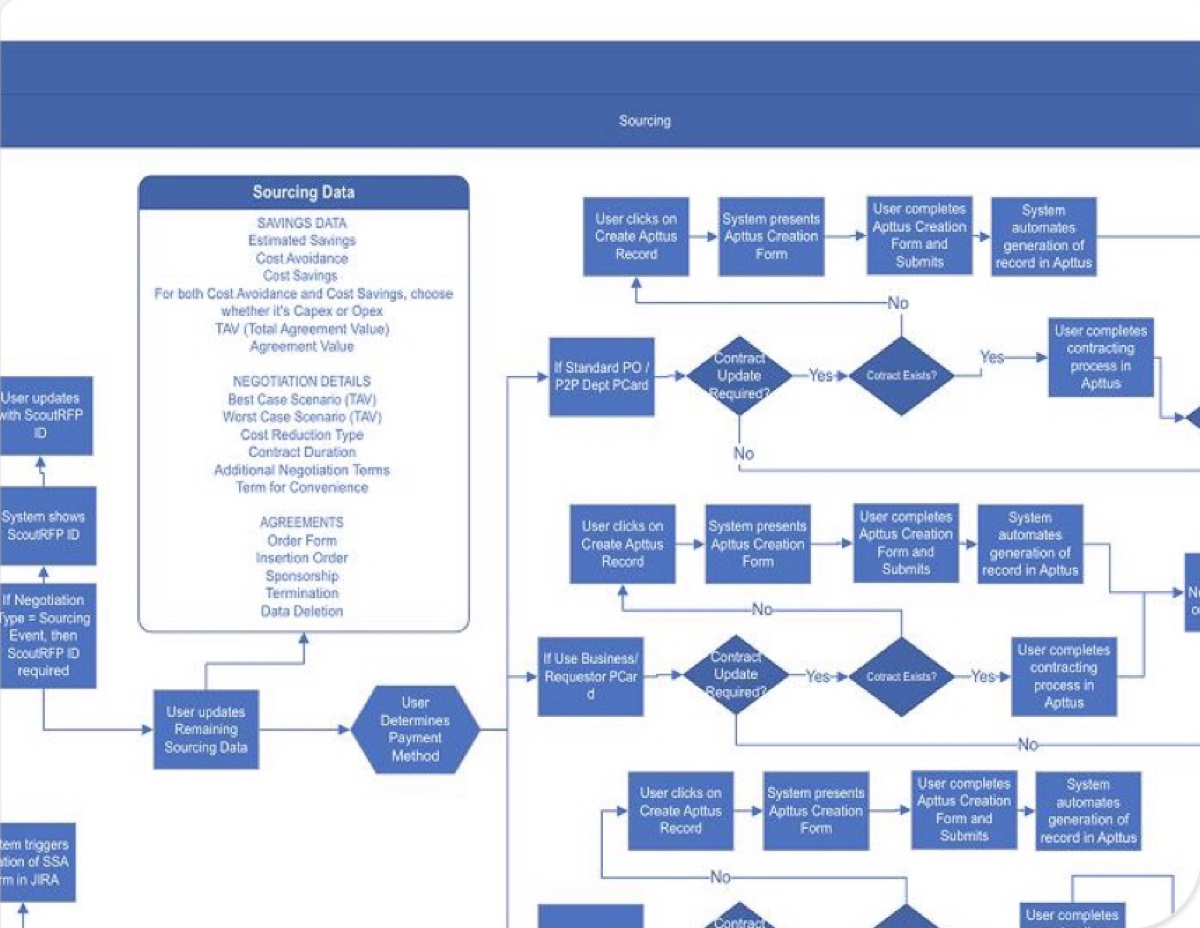 02 Map How tickets flow, and where they break
-
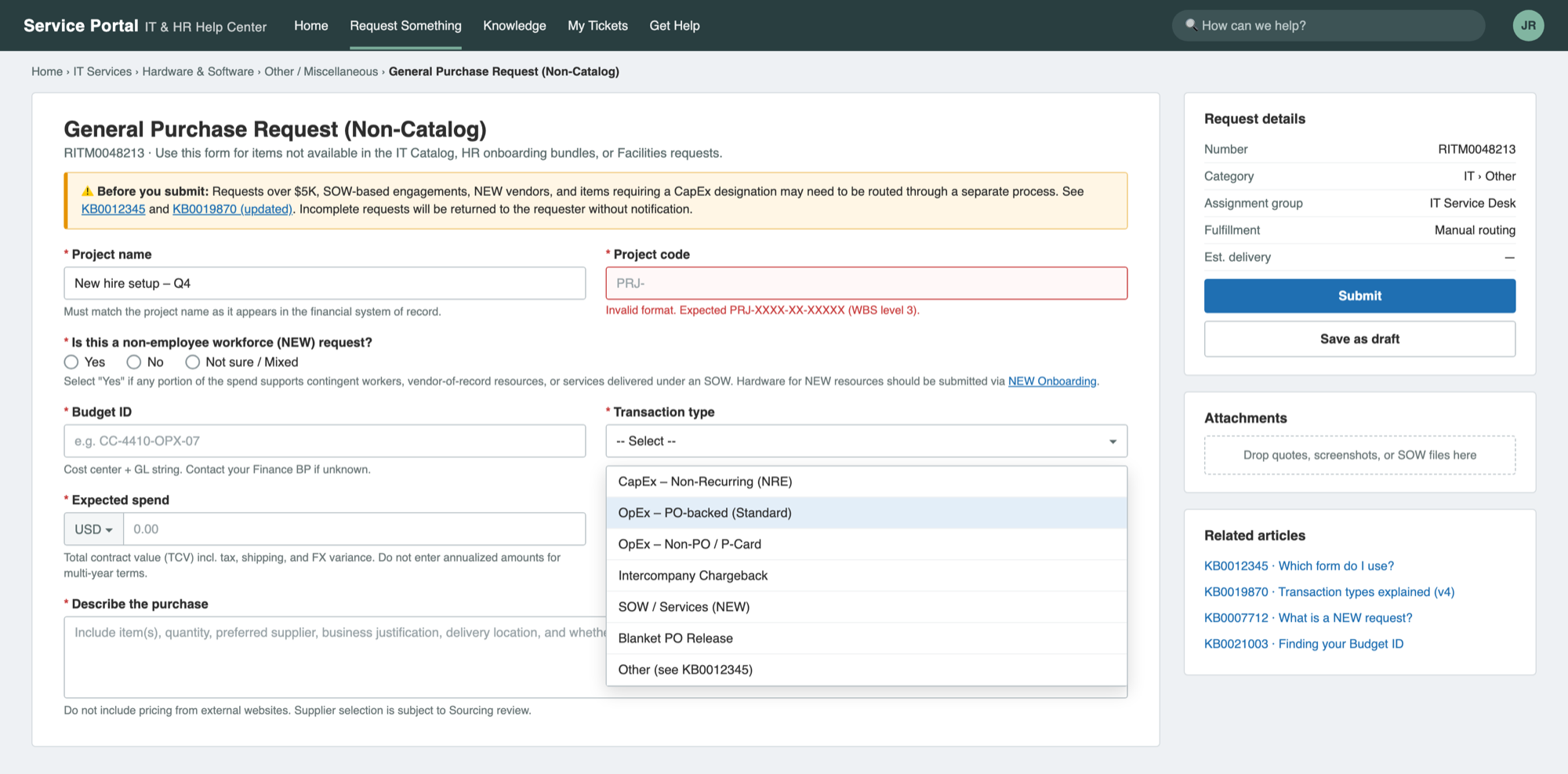 03 Audit The request form, question by question
-
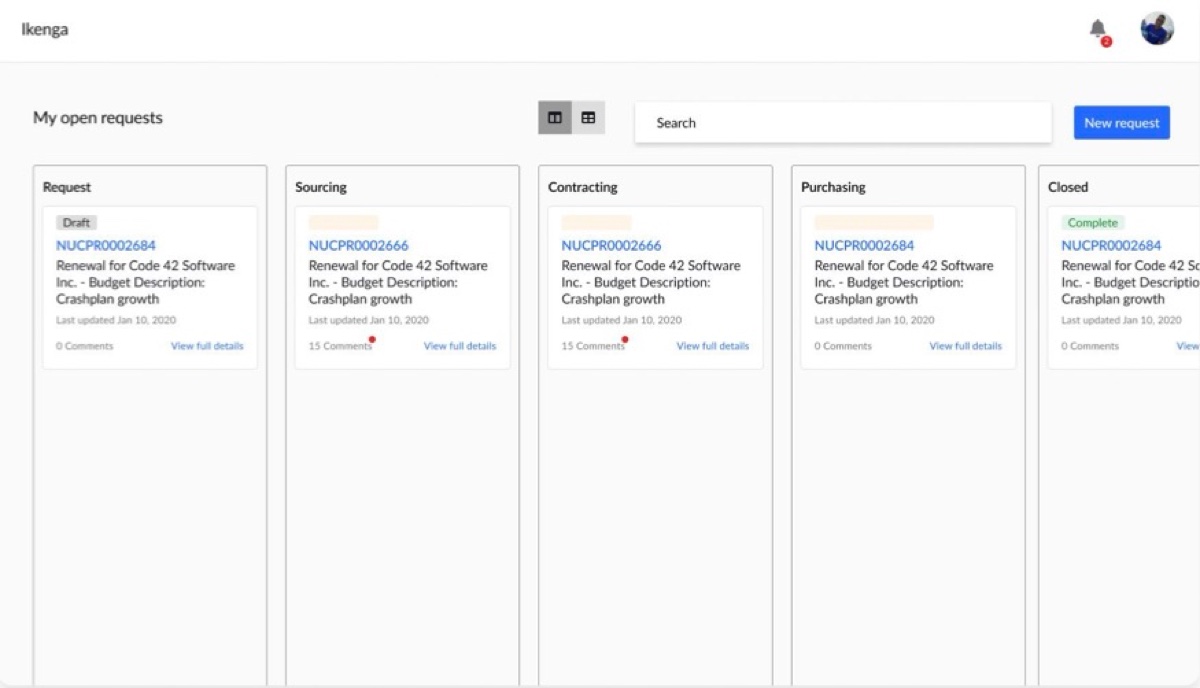 04 Explore Three dashboard ideas
-
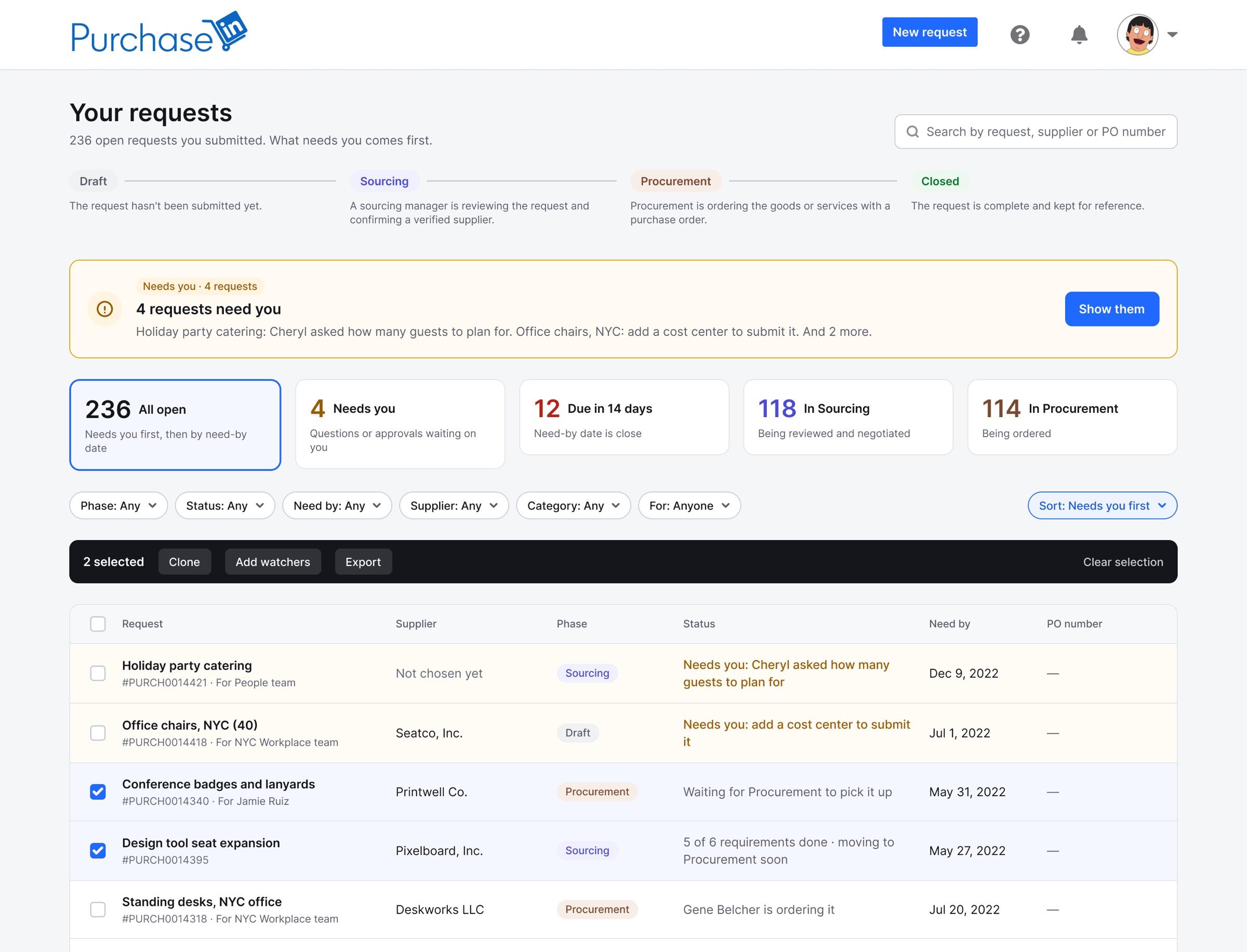 05 Route The right dashboard at sign-in
-
 06 Align Weekly meetings with both teams
-
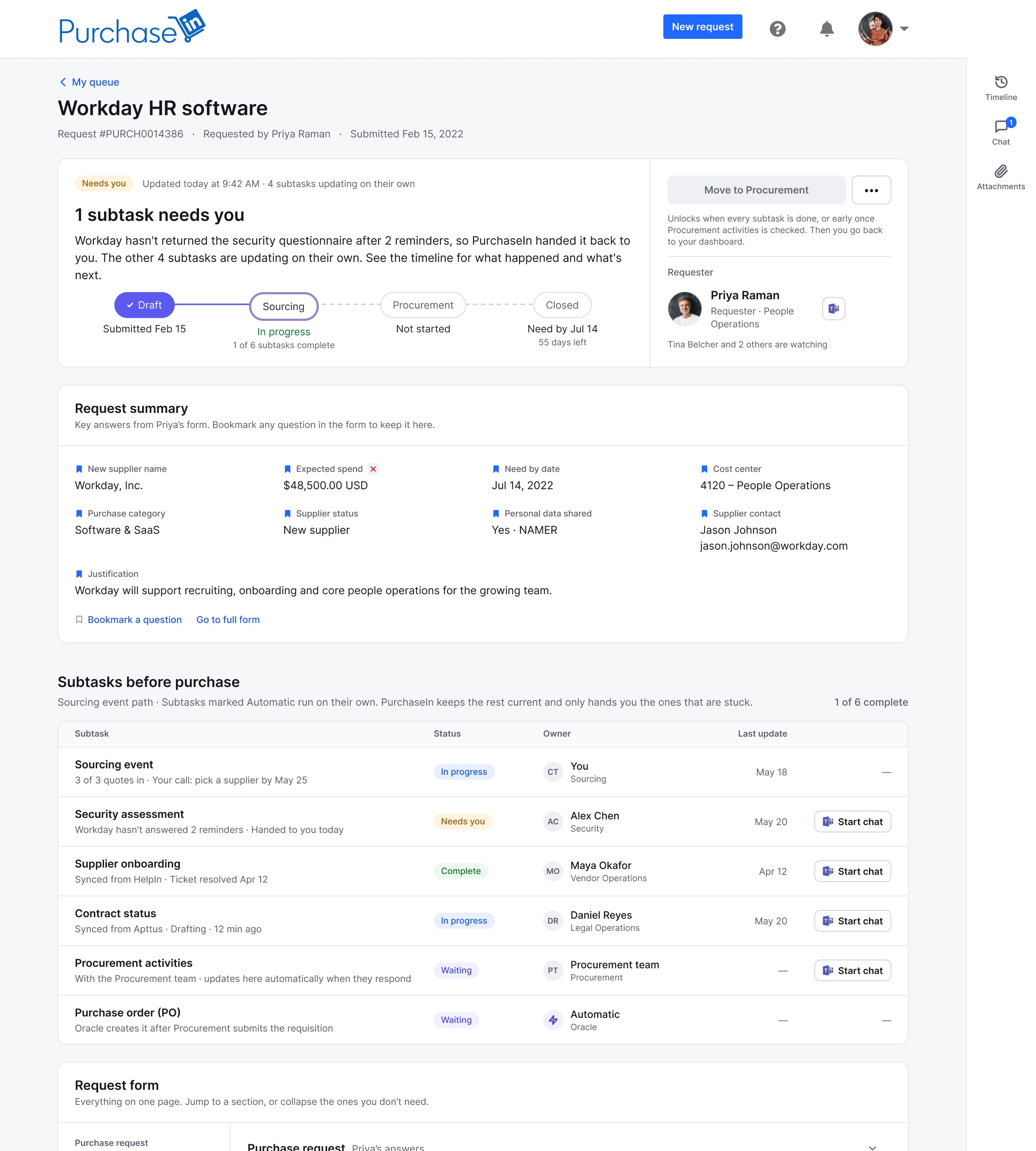 07 Ship 47 → 29 days per request
The problem
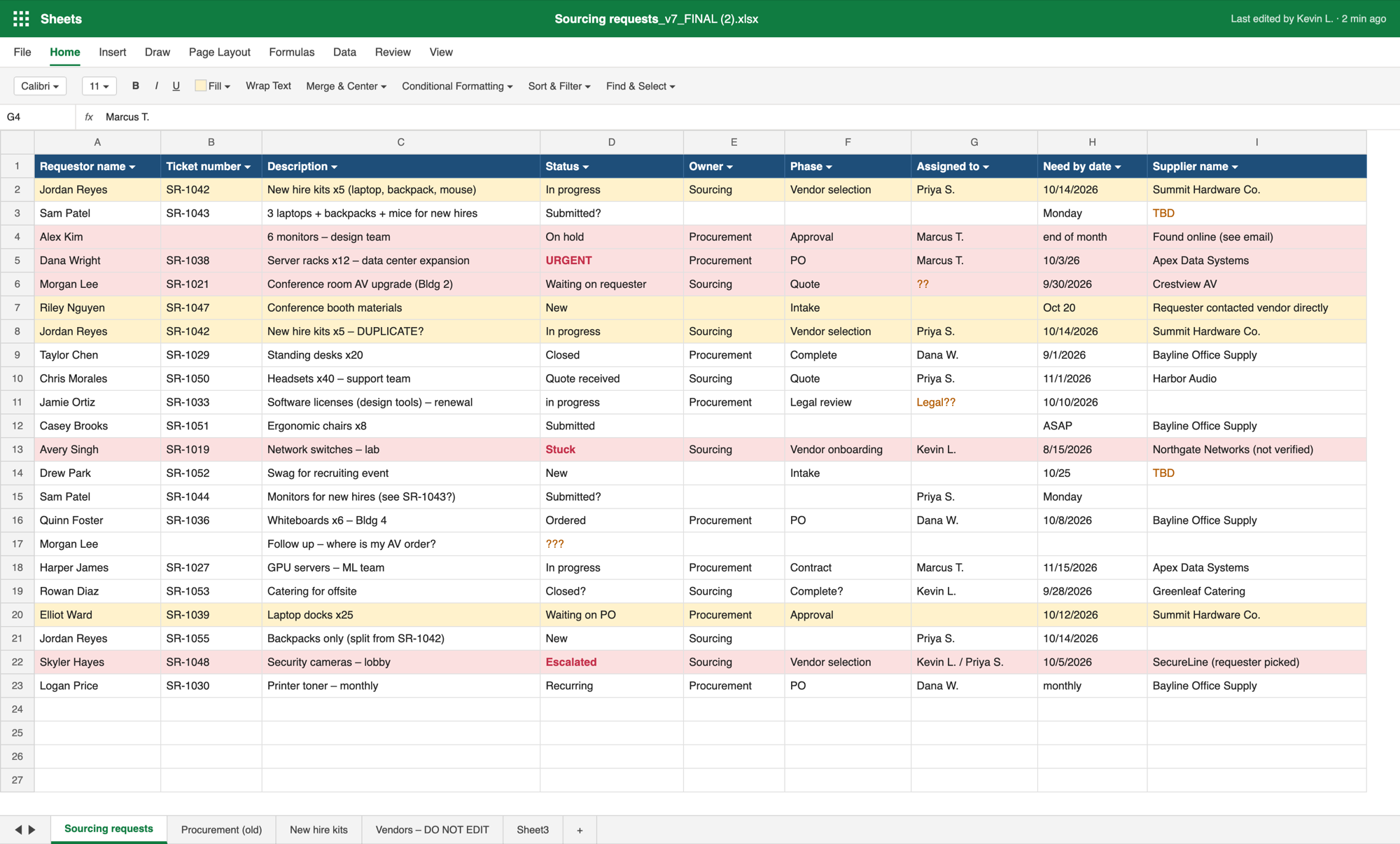
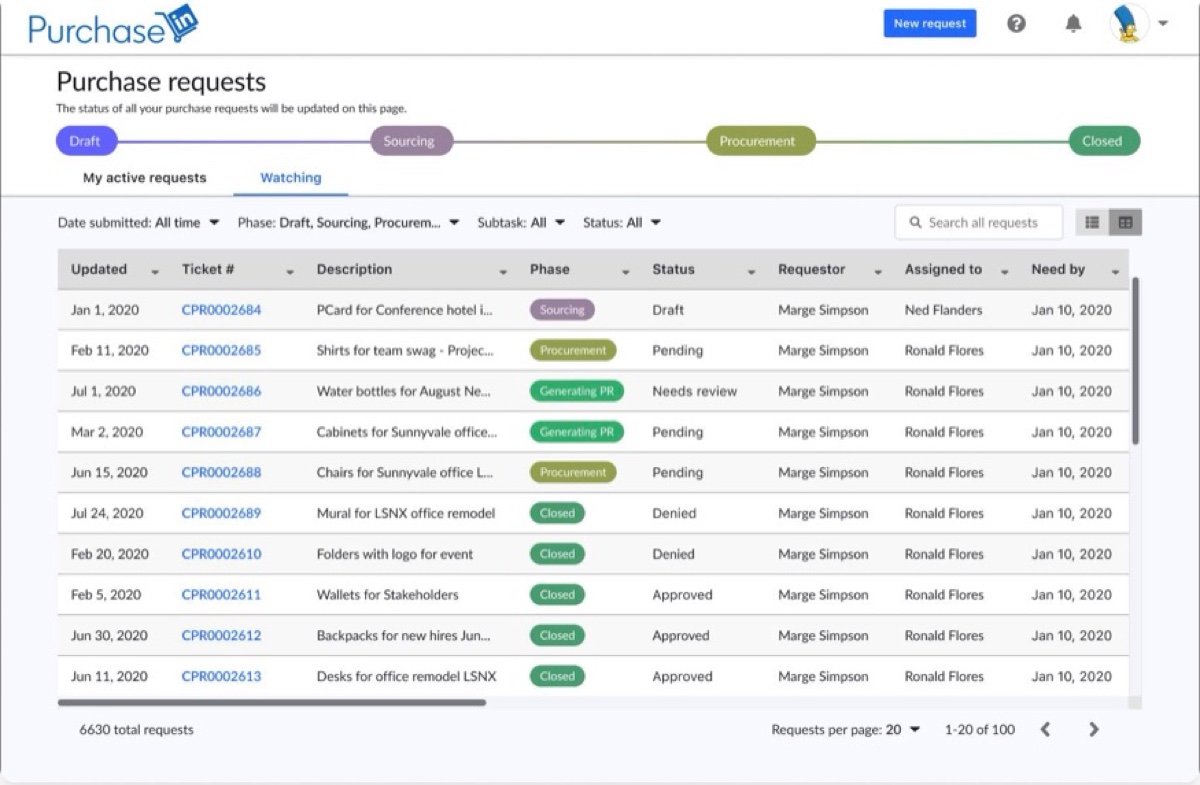
LinkedIn’s Source-to-Pay organization had been trying to build a purchasing platform for more than five years. Employees requested purchases on a form built for IT and HR, and everything after that happened over email and spreadsheets: about $2.8B a year running through workarounds, with an average cycle time of 47 days.
 BeforeAfter
- 47 daysaverage cycle time per request
- ~$2.8Ba year through email and spreadsheets
- No visibilityfor requesters after they submitted
- Sourcing skippedso vendors went unchecked
- 3 user groupswith very different needs, in one process
- 5+ yearswithout a purchasing tool
- 1IT & HR form Fill in a purchase form built for IT and HR requests
- 2Email Email Procurement the item and the store, skipping Sourcing
- 3Email The form lands in a team inbox
- 4Spreadsheet Sourcing copies it into a shared spreadsheet by hand
- 5Email Back-and-forth emails for missing details
- 6Spreadsheet Update the spreadsheet: status, owner, supplier
- 7Email The requester emails: “Where's my order?”
- 8Spreadsheet Look it up, and fix the duplicate rows
- 9Email Reply, and wait for the next follow-up
Research
We first had to learn how tickets flowed today, where they broke down, and how they should flow.
- Listen Interviews with all three groups
Requesters, Sourcing and Procurement, to see how each one works and where requests get stuck.
- Map Flows for the ticket lifecycle
Every step a ticket takes today, and where it should go instead.
-
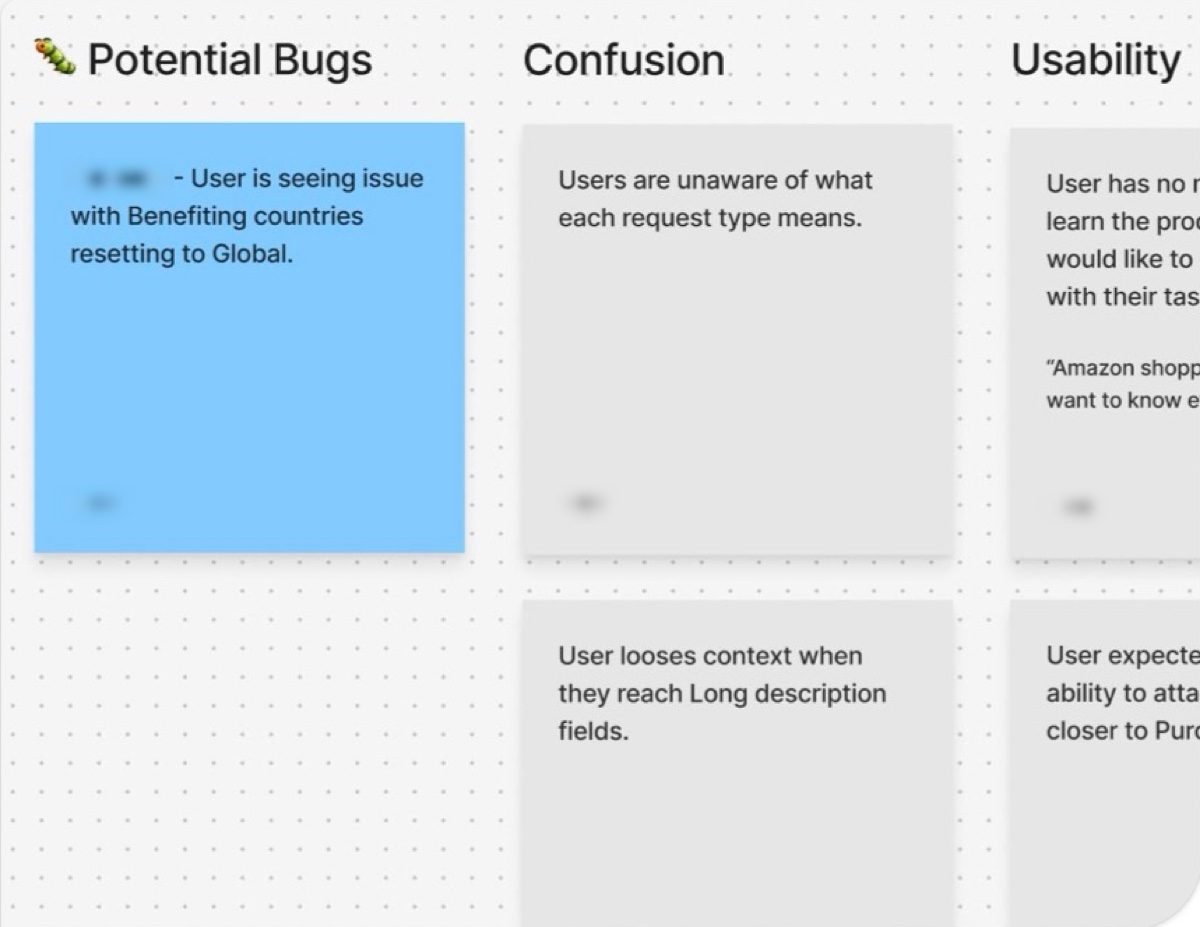 Synthesize Affinity maps for requesters
Feedback sorted into bugs, confusion and usability, to find what to fix first.
It all starts with the request
Requesters had to answer a confusing set of questions to start. A wrong answer sent the ticket down the wrong path, and the purchase stalled.
- With requesters Audit every question What confuses them, and where do they guess?
- With Legal Word it with Legal Question language that is clear and still correct.
- With both teams Keep only what's needed Sourcing and Procurement decided what the form needs, and what it doesn't.
Three dashboard ideas
How should everyone see their requests?
It didn't work for requesters: they thought every card needed them to act. It did show that all three groups needed messaging tied to each request, that everyone loved the alerts, and that a timeline worked, if requesters could read it too.
Explored, not the final direction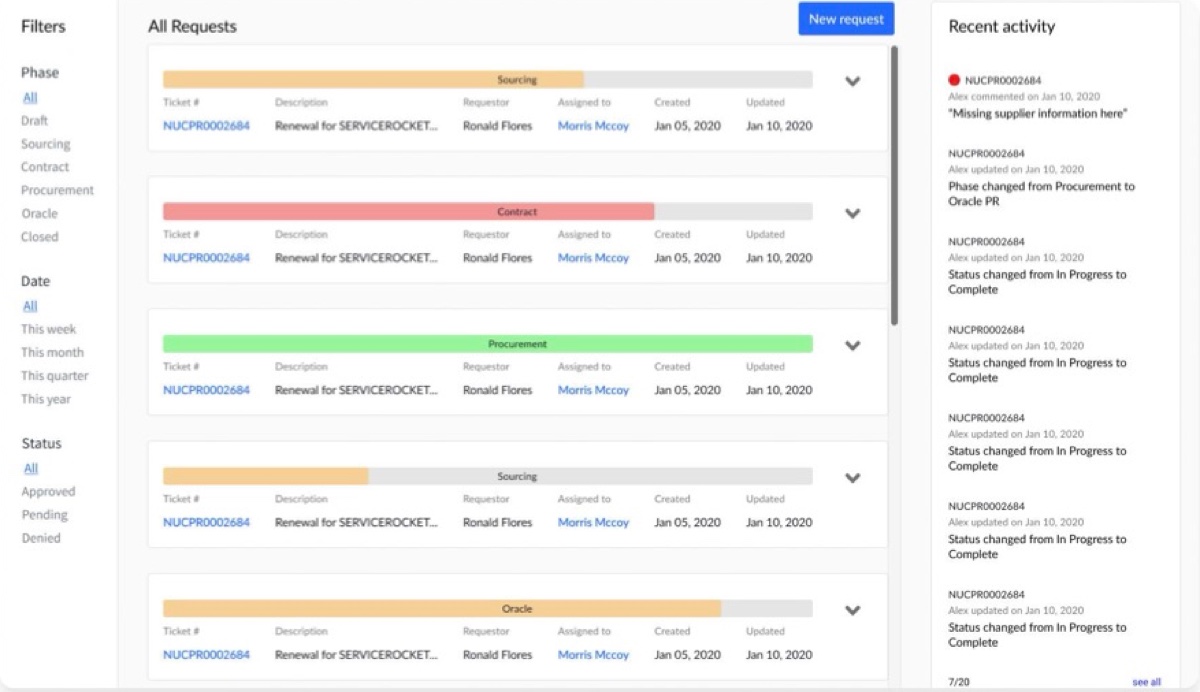
Filters made navigation quick for all three groups, but it couldn't scale to the hundreds of requests Sourcing and Procurement sort through.
Explored, not the final direction Filters moved to the top, a clear timeline for each ticket, and a spreadsheet-like table Sourcing and Procurement were already used to.
Became the final designThree users, solved at sign-in
Requesters, Sourcing managers and Procurement managers needed very different things. Instead of asking people to pick a view, the back end sorted them into four permission groups, and each person landed on the right dashboard automatically.
- RequesterA simple dashboard with only their own requests
- Sourcing managerThe Sourcing dashboard, with every subtask and the settings to work tickets
- Procurement managerThe Procurement dashboard and settings to work tickets
- AdminCan sign in as all threeSo the PM, engineers and I could test every experience end to end
Where does each person land?
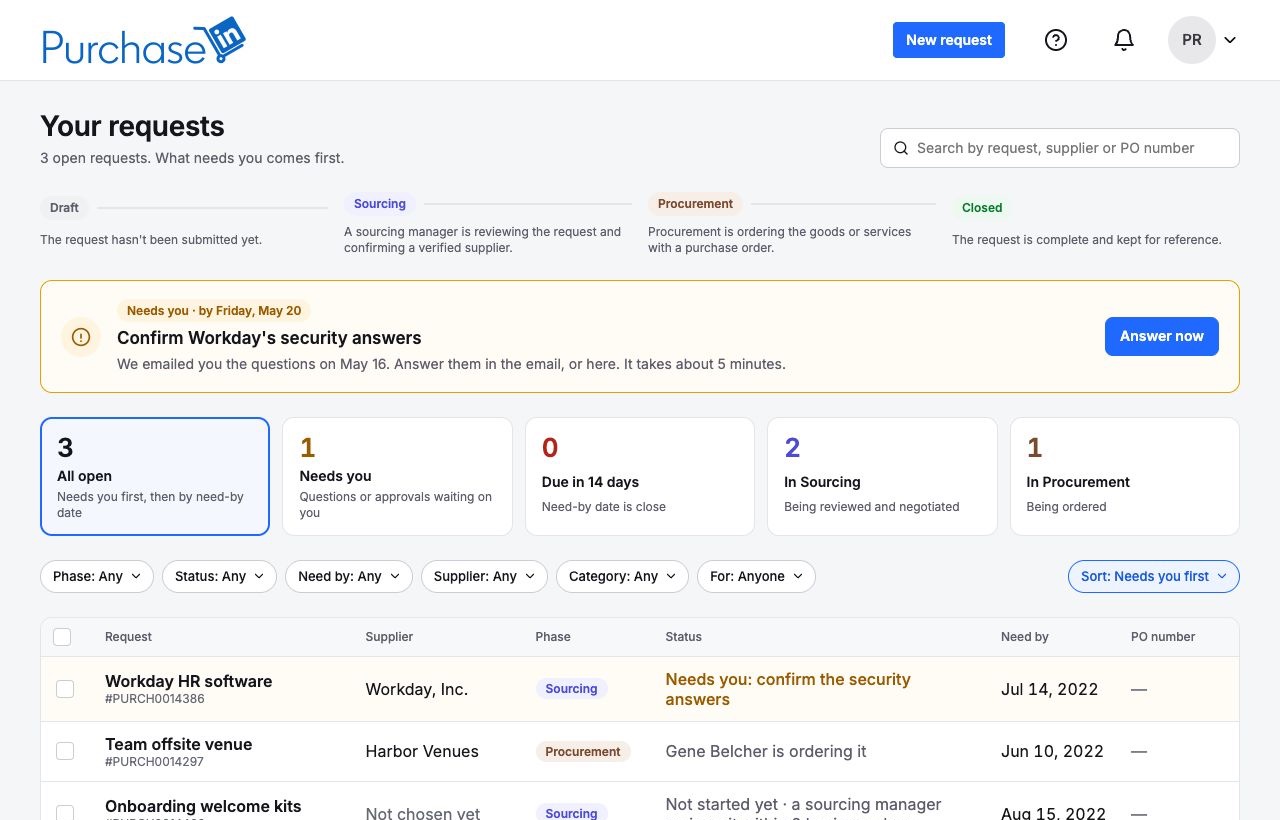
- What needs you comes first, with one action
- Count cards that double as filters
- Status in plain words, and the next step on every row
- Search and filters that scale from three requests to hundreds
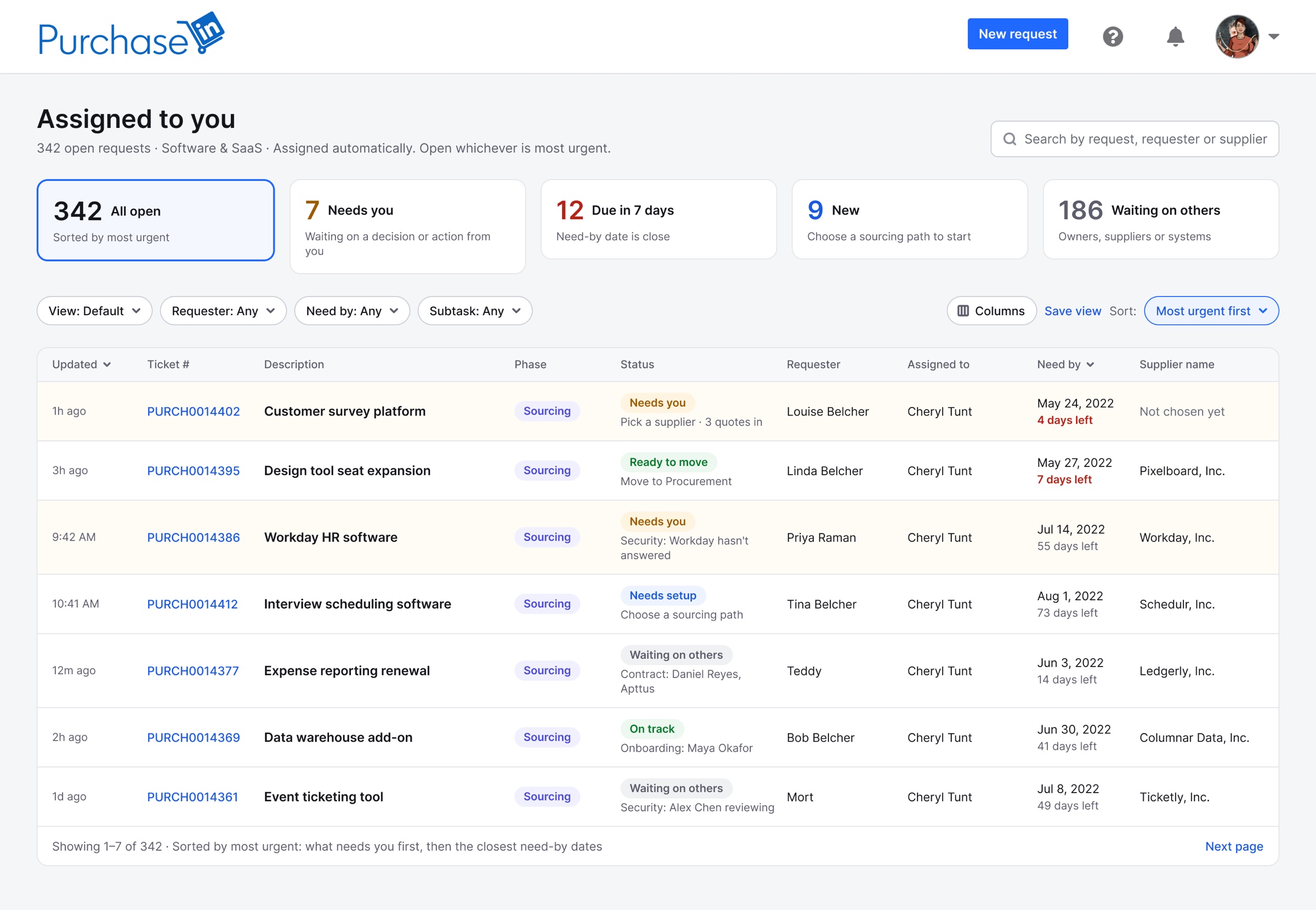
- Requests assigned automatically, sorted most urgent first
- Count cards that filter: Needs you, Due in 7 days, New, Waiting on others
- Status and what's next on every row
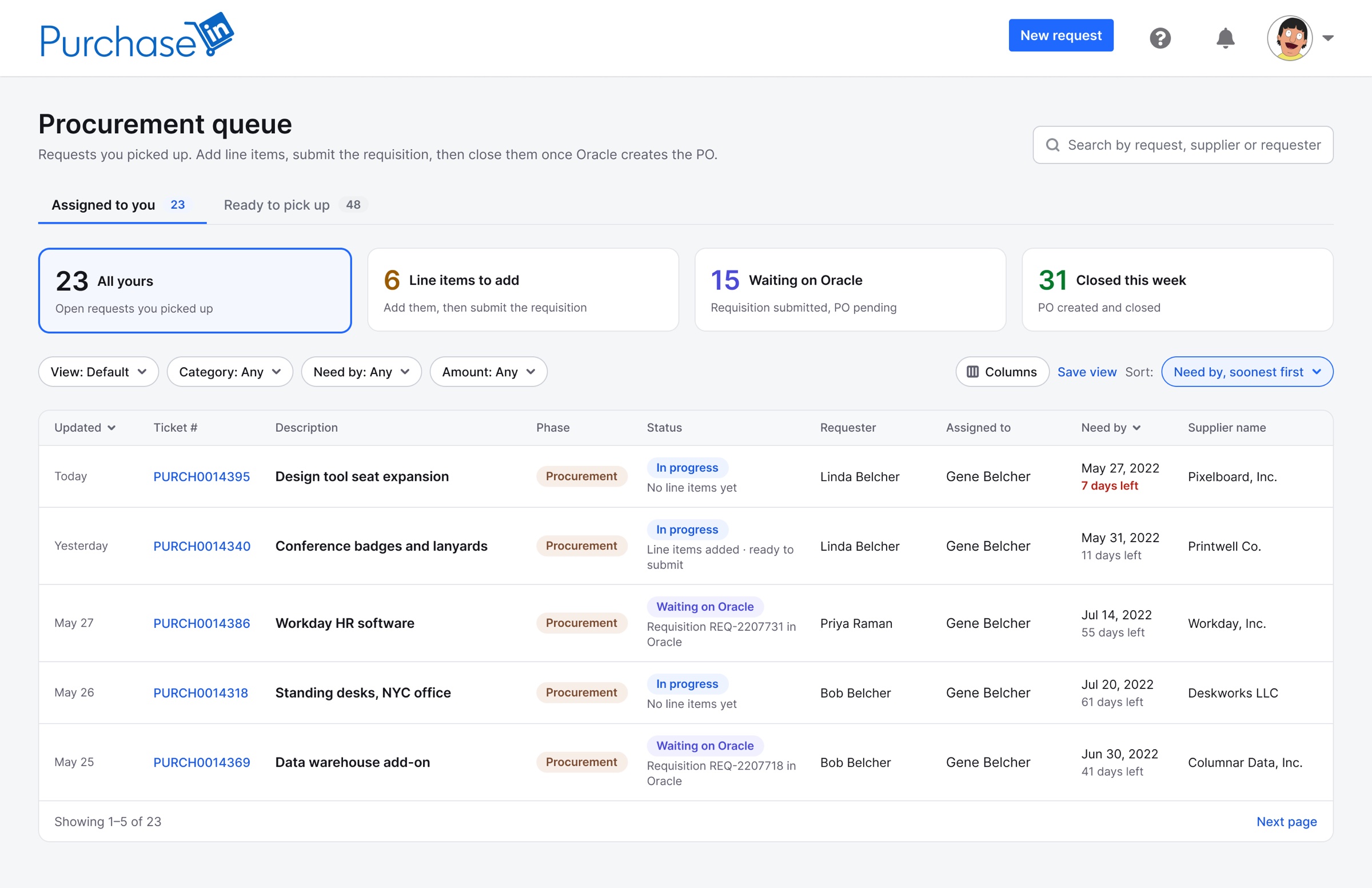
- Your own work and the shared pool, in two tabs
- Count cards for line items to add, waiting on Oracle and closed this week
- The need-by date, with days left
Each dashboard is built around what that role does all day.
What does each person need from the same ticket?
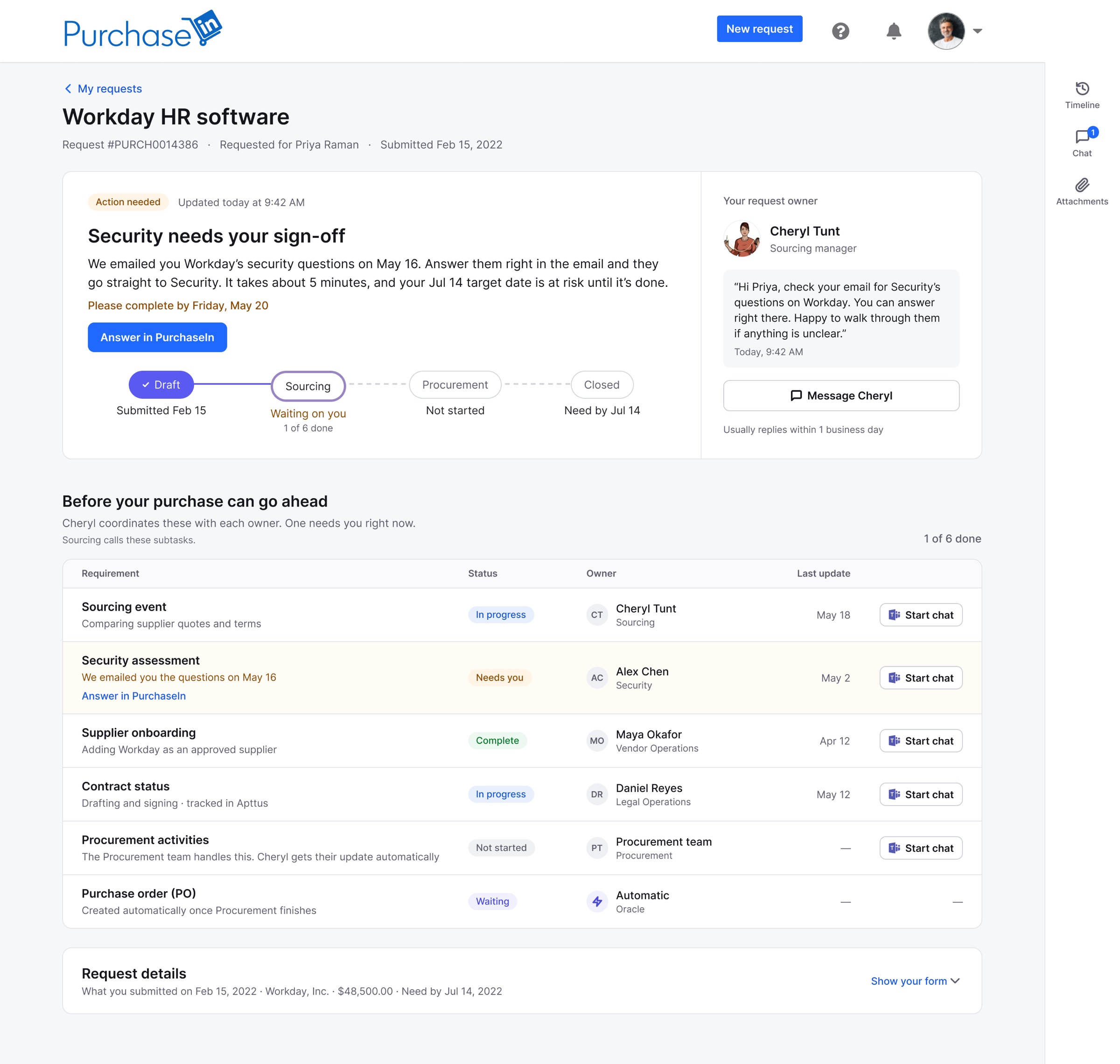
- Only what matters to them: where it is, who owns it, and what's needed from them
- A timeline Sourcing and Procurement update, so there's nothing to email about
- Messages with whoever owns the ticket now
- A summary written for Sourcing
- Every subtask on the request, and the option to start one when it's needed
- Sourcing form fields, in order of operations
- Chat on the request
- The need-by date at the top, with a countdown
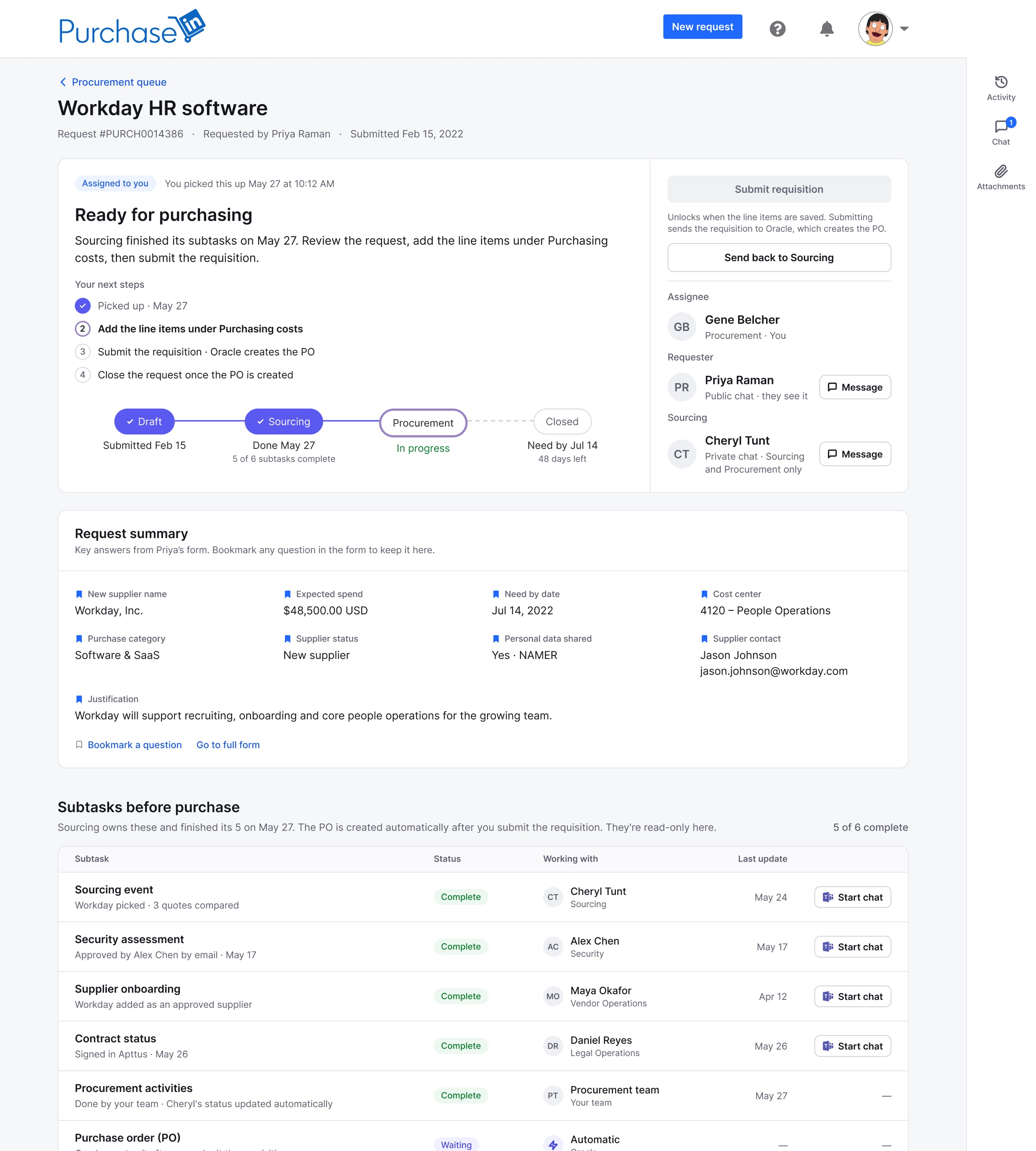
- A summary written for Procurement
- Sourcing's subtasks, read-only
- Purchasing costs, the one section Procurement edits
- Submit the requisition once the line items are saved
- Chat on the request
The same request, Workday HR software, as each group sees it.
Watch it
One walkthrough per person, built from my PurchaseIn designs.
Read the steps instead
- Priya starts a new request from her dashboard.
- She says who it's for: herself, People Operations, with Tina Belcher watching.
- No contingent workers, a category, and a short description of the welcome kits.
- No supplier in mind. Sourcing will find a verified one.
- She answers the privacy questions, worded with Legal.
- She adds the need-by date, region, delivery location and expected spend.
- Attachments are optional. She reviews every answer on one page and submits.
- Her dashboard confirms the request and shows its status in plain words.
- She opens Workday HR software, which needs her sign-off for Security.
Read the steps instead
- Cheryl's queue shows her assigned requests, most urgent first. She opens Workday HR software.
- She chooses the sourcing event path, which sets the subtasks, and starts them.
- Each subtask shows its owner and status, with a Teams chat for each owner.
- Security approves by email, and the subtask marks itself complete.
- Every subtask is done, so she moves the request to Procurement.
- It's in Procurement's queue, and she's back to her own.
Read the steps instead
- Gene picks Workday HR software up from the shared queue.
- He opens Purchasing costs, the one section Procurement edits.
- He adds the line items and saves.
- The requisition is submitted, and Oracle creates the PO.
Try it
One working prototype per person. Updates from Security, Apttus and Oracle arrive on their own, a few seconds after they’re possible.
Aligning two teams
Procurement and Sourcing each had strong, sometimes conflicting views on how the process should work. I led weekly stakeholder meetings with both teams.
- Learned what the real goals were
- Aligned on common goals
- Defined success together
- Brought them into the decisions
- Presented design progress
- Backed creative decisions with research
The outcome
- Email and spreadsheetsOne platform
- Requesters skipping SourcingVendor checks on every purchase
- “Where's my order?” emailsA timeline they check themselves
- One process for everyoneA dashboard for each role
All LinkedIn employee spend, about $2.8B a year, ran through PurchaseIn, built end to end over three years: what Source-to-Pay had pursued for more than five.
- Shipped · Shipped PurchaseIn
- A dashboard for each role
- A timeline requesters check themselves
- Chat on every request
- Next · Planned An AI agent
- Answers requesters' status questions, easing the load on Sourcing and Procurement
- Helps fill out the request, for more accurate tickets from the start
What I learned
Most of the “Where’s my order?” problem wasn’t about tracking. It was about visibility.
Giving requesters the same timeline the teams were already updating removed thousands of emails without asking anyone to do extra work.