Storyboard
One shared tool for everyone who makes a LinkedIn Learning video, to replace spreadsheets that broke whenever a course didn't fit the template.
- Problem
- Every course was planned in Excel sheets with custom logic. Any edge case broke them, and engineers had to drop their work to fix it.
- Solution
- One storyboard tool for all seven production roles, with a stage timeline, shot-by-shot planning and notes tagged to the right team.
- 7production roles in one tool
- 5 of 7people we asked rated version history high priority
- 4 monthsof design reviews, April to August 2025
- Conceptpaused when the budget went to Merlin
A concept. It didn't ship, so there are no production results.
-
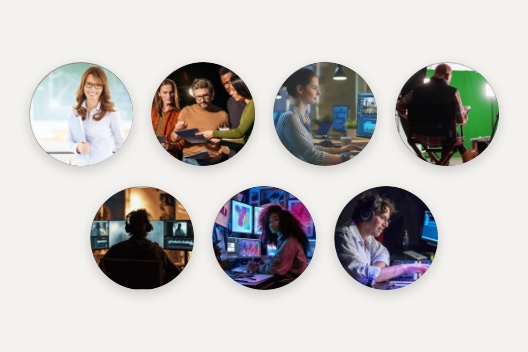 01 Map Seven roles and what each one needs
-
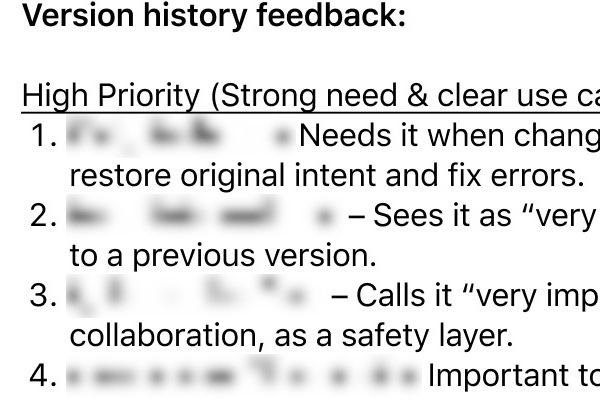 02 Listen Ranked feedback from the team
-
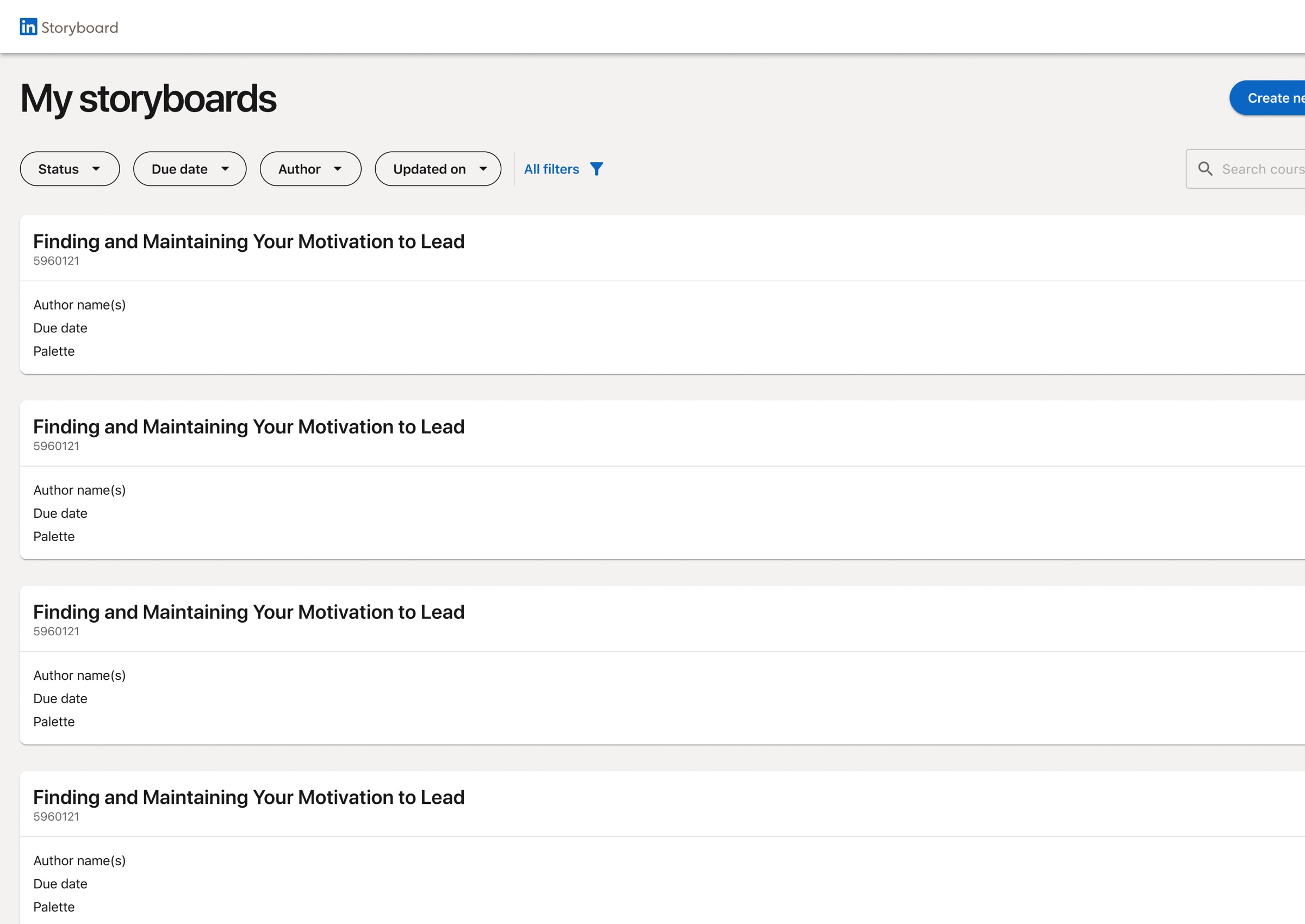 03 Iterate Design reviews, April to August
-
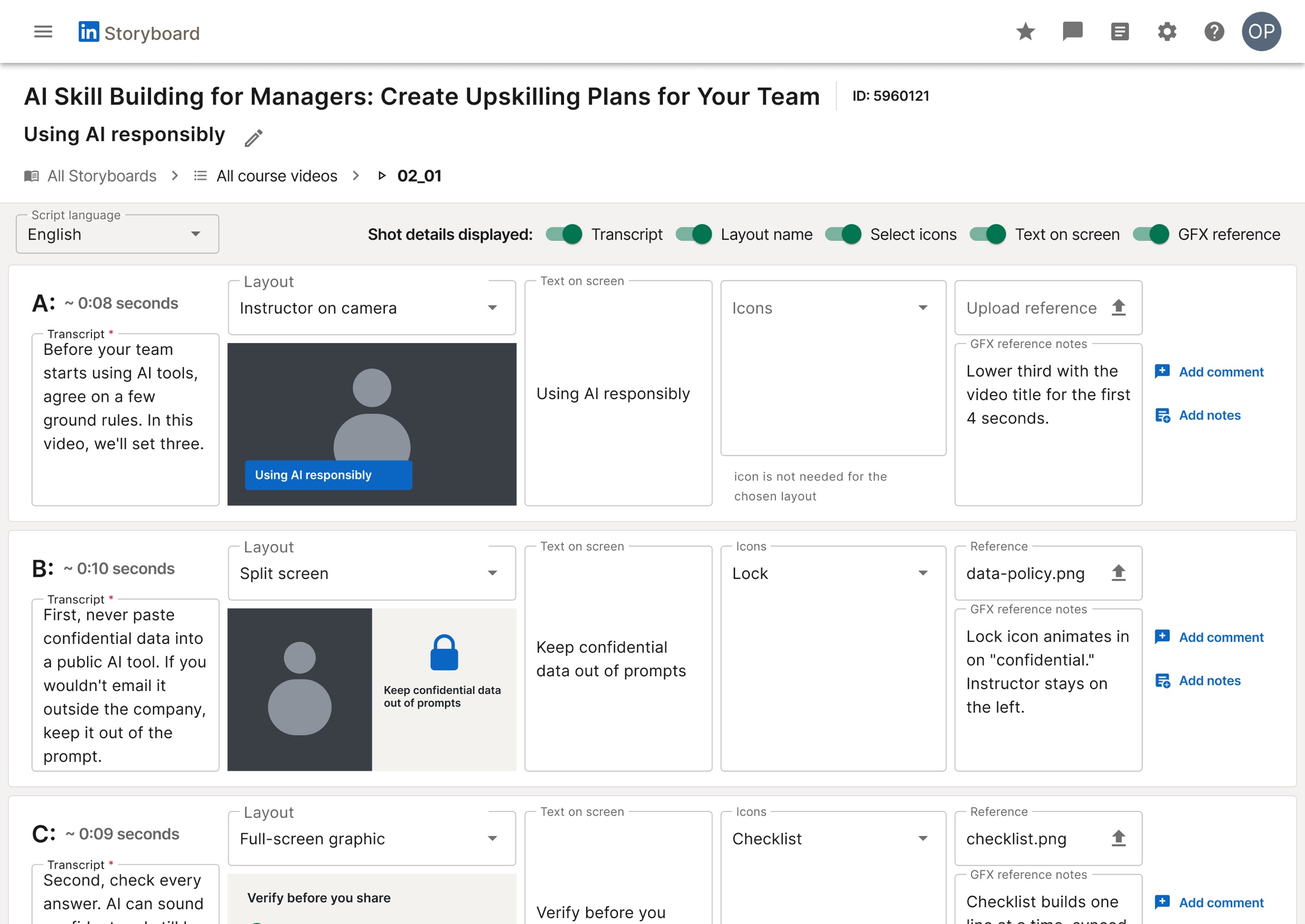 04 Design From course ID to finished storyboard
-
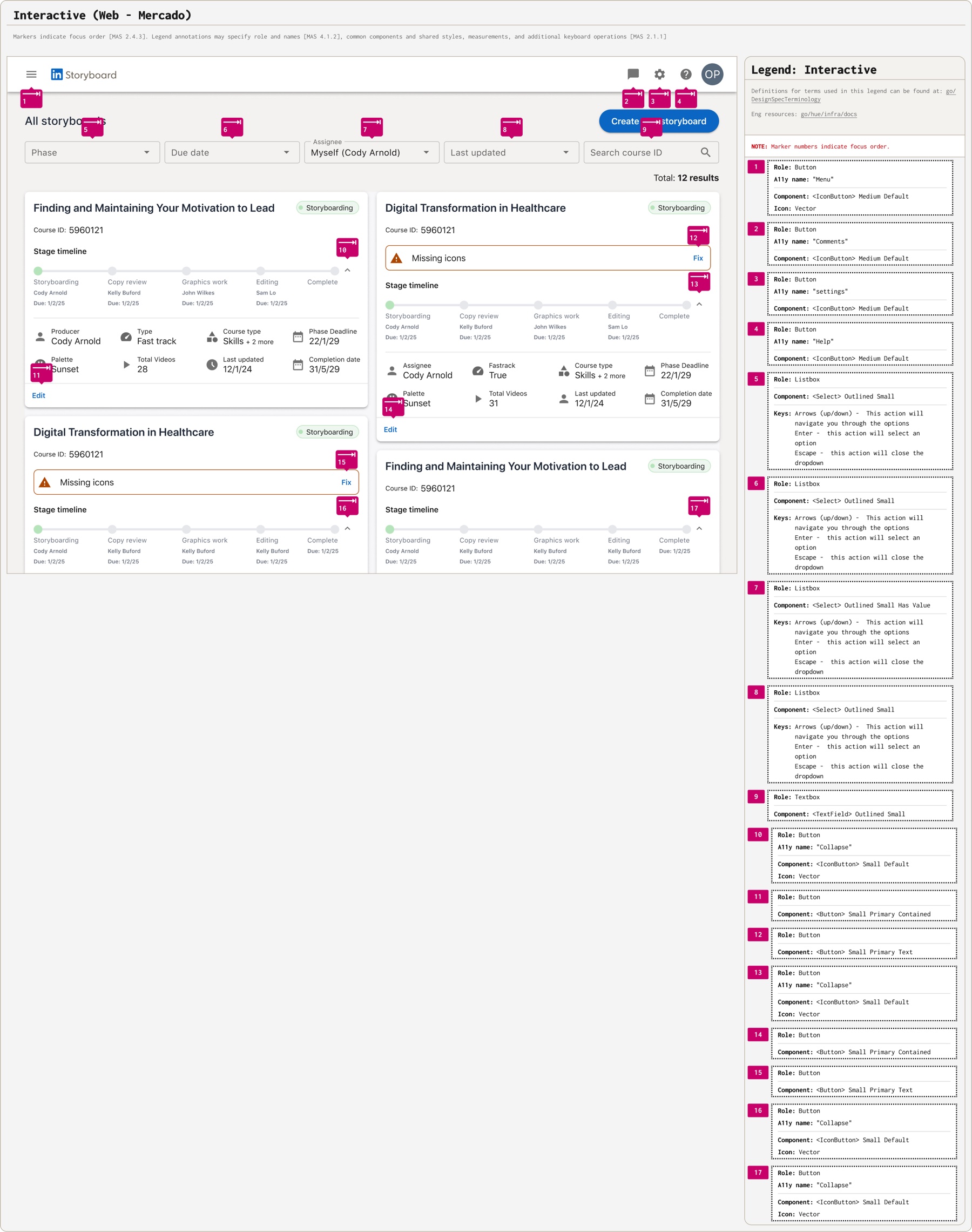 05 Specify Accessibility and handoff specs
-
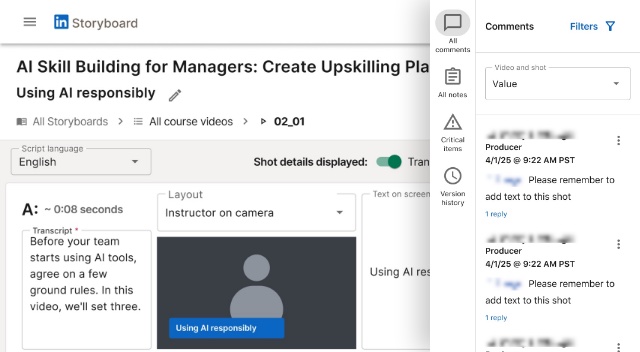 06 Prototype Figma Make, to explore AI
The problem
Every LinkedIn Learning course is planned shot by shot before it’s filmed. That plan lived in Excel sheets with custom logic. Whenever a course didn’t fit the template, the logic broke, and engineers had to drop what they were doing to patch it.
- 1Script The instructor writes the script
- 2Excel The producer copies it into a storyboard sheet
- 3Excel Custom logic splits it into shots and times them
- 4Excel Every team edits the same sheet: text, graphics, notes
- 5Excel A course doesn't fit the template, and the logic breaks
- 6Engineering Engineers stop their own work to fix the sheet
- 7Excel The team waits, then picks up where it left off
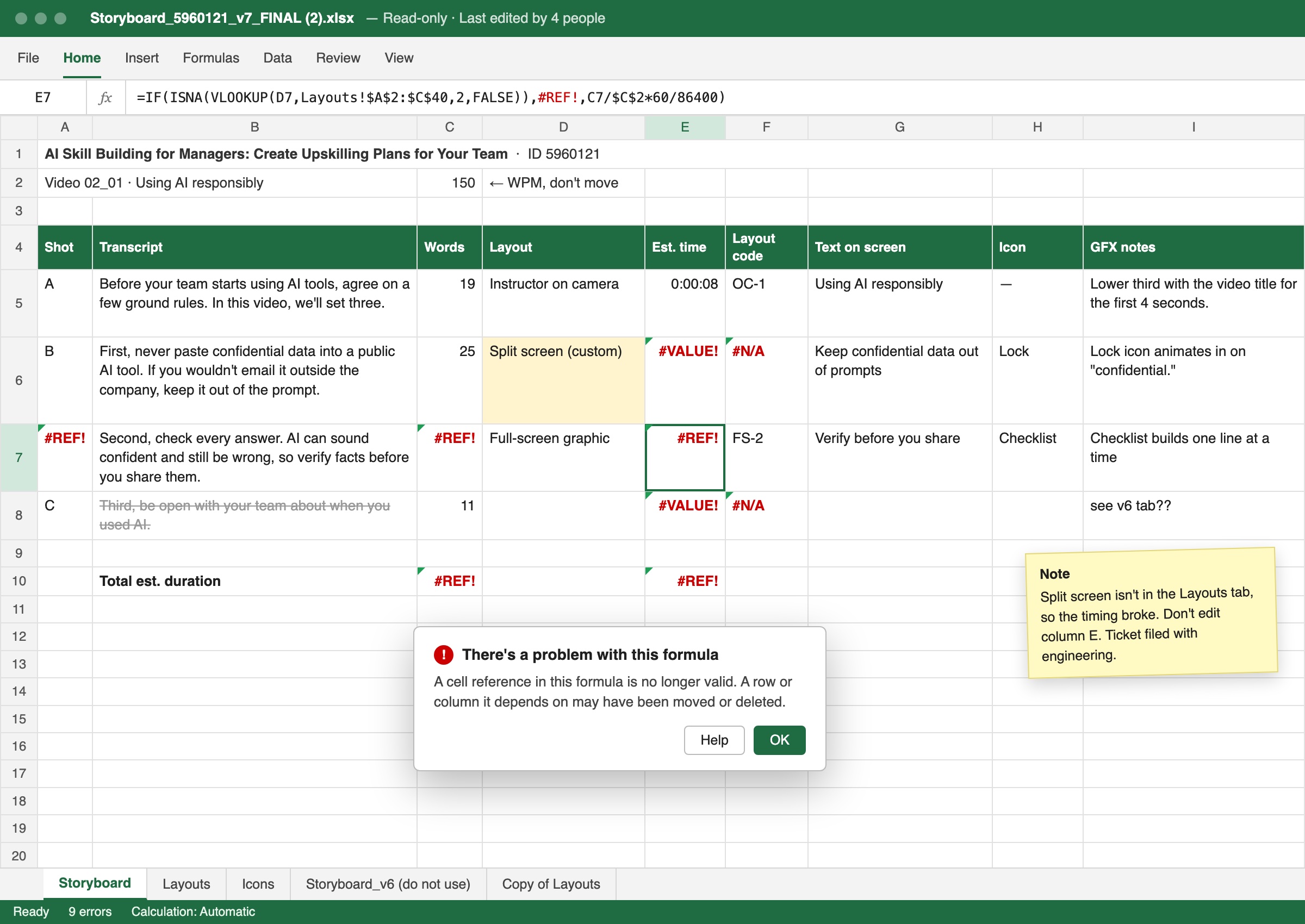 BeforeAfter
Seven roles, one document
Everyone who makes a course touches the storyboard, and each of them needs something different from it.
- InstructorsAdd the script, directly or through their producer
- ProducersBlock out the course and own the storyboardThe people in the tool the most
- Assets teamSee which B-roll and stock media each course needs
- Live action directorsFollow it while recording, and leave notes for editing
- Technical editorsReview on-screen text and leave notes
- Instructional graphicsBuild the diagrams and visuals assigned to them
- Video editorsA read-only view to assemble the final video
What the team asked for
I asked the production team about two features we were weighing.
Restoring the original intent after an unwanted change, and a safety net when several people edit the same storyboard.
Most wanted one list of what's blocking the whole course, not one per storyboard.
Four months of design reviews
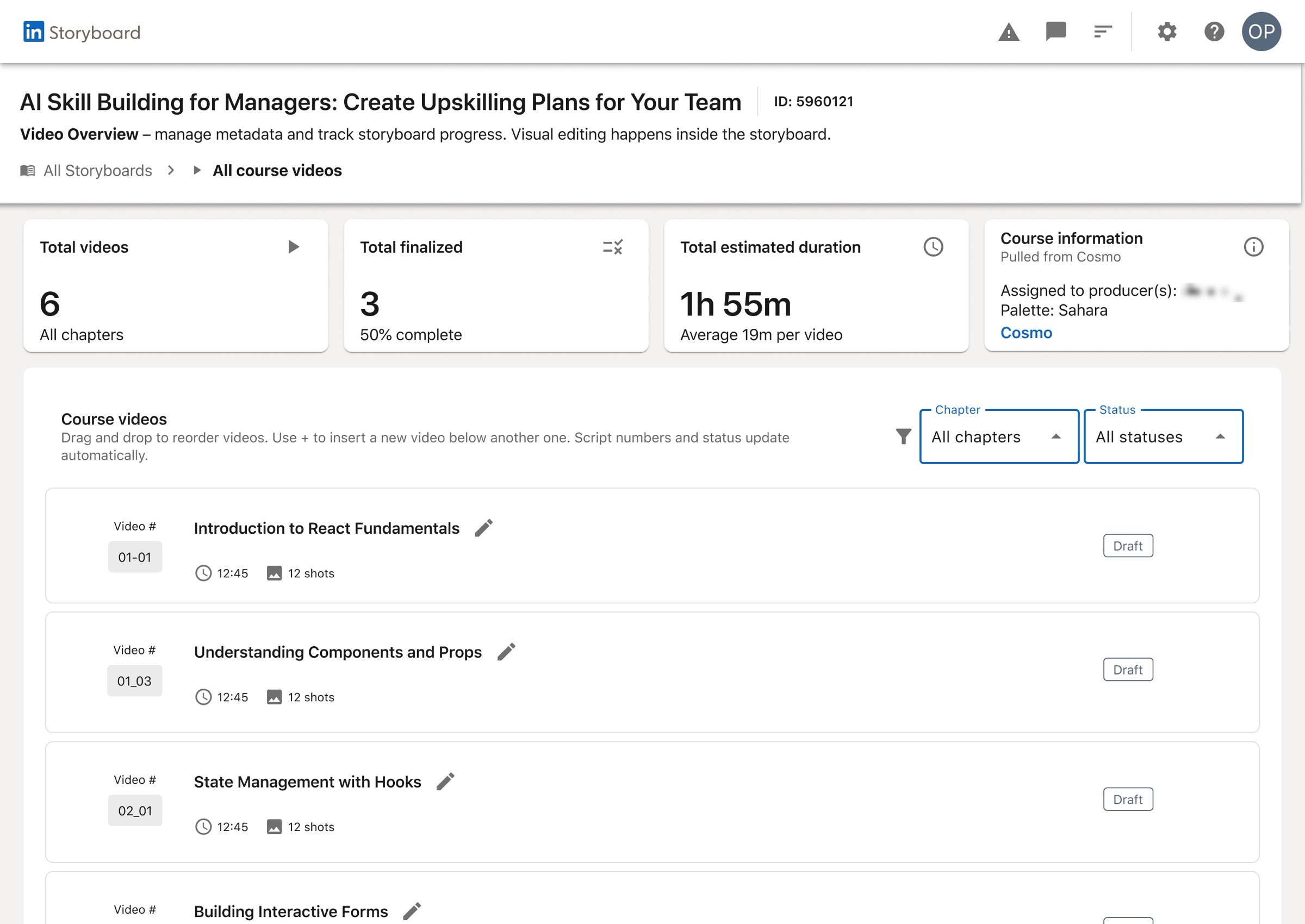
I took the design through reviews from April to August 2025, starting with navigation and structure. The dashboard went from a list of storyboards to a view of where every course is in production.
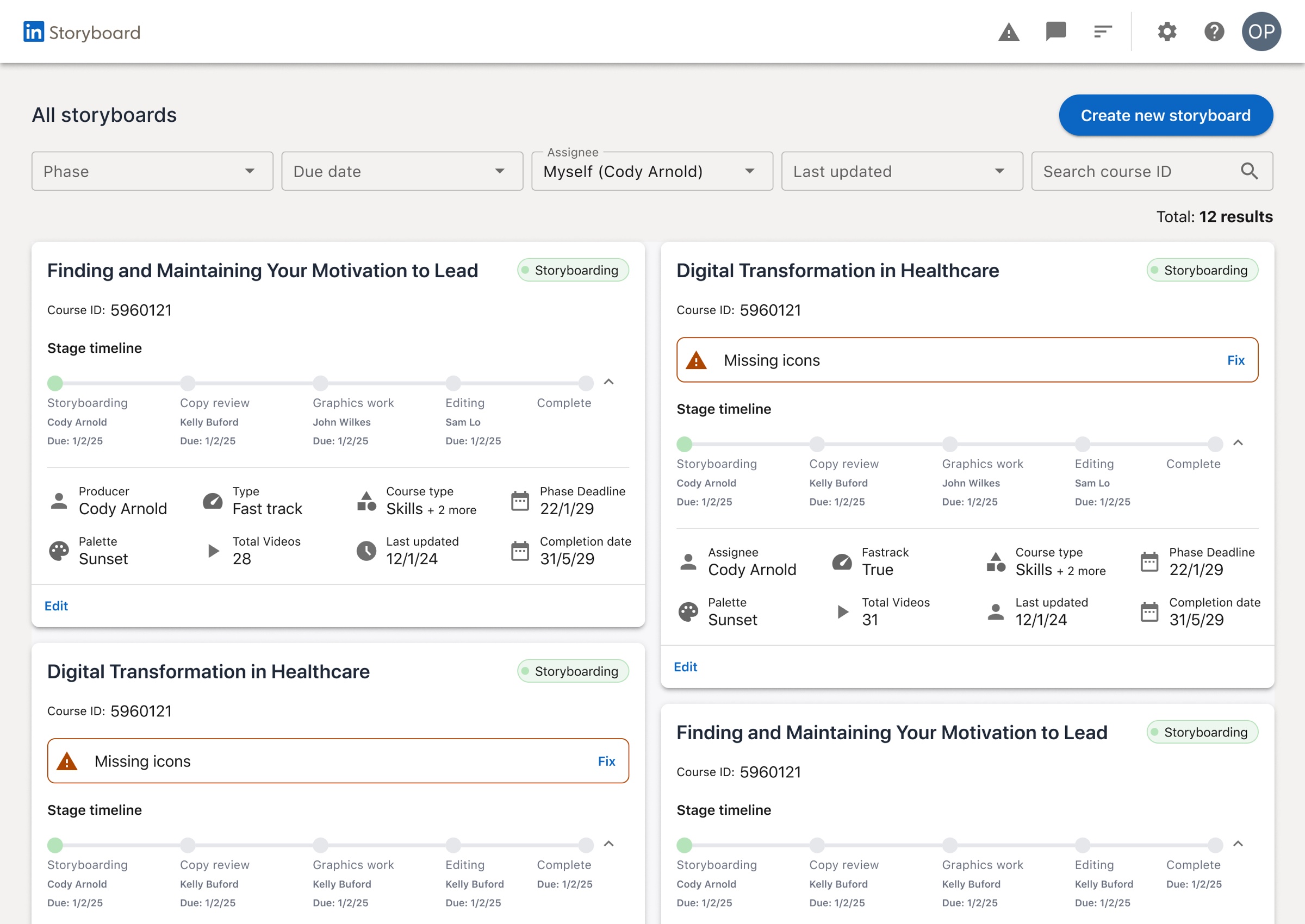
- A list of storyboardsA stage timeline per course
- One status: PendingWho owns each stage, and when it's due
The design
- Start Enter a course ID Course details come in from Cosmo, LinkedIn Learning's content system.
- Script Upload the script It's split into shots automatically and timed at a speaking pace of 150 words a minute.
- Overview Manage the videos Reorder videos by dragging; numbers, durations and status update on their own.
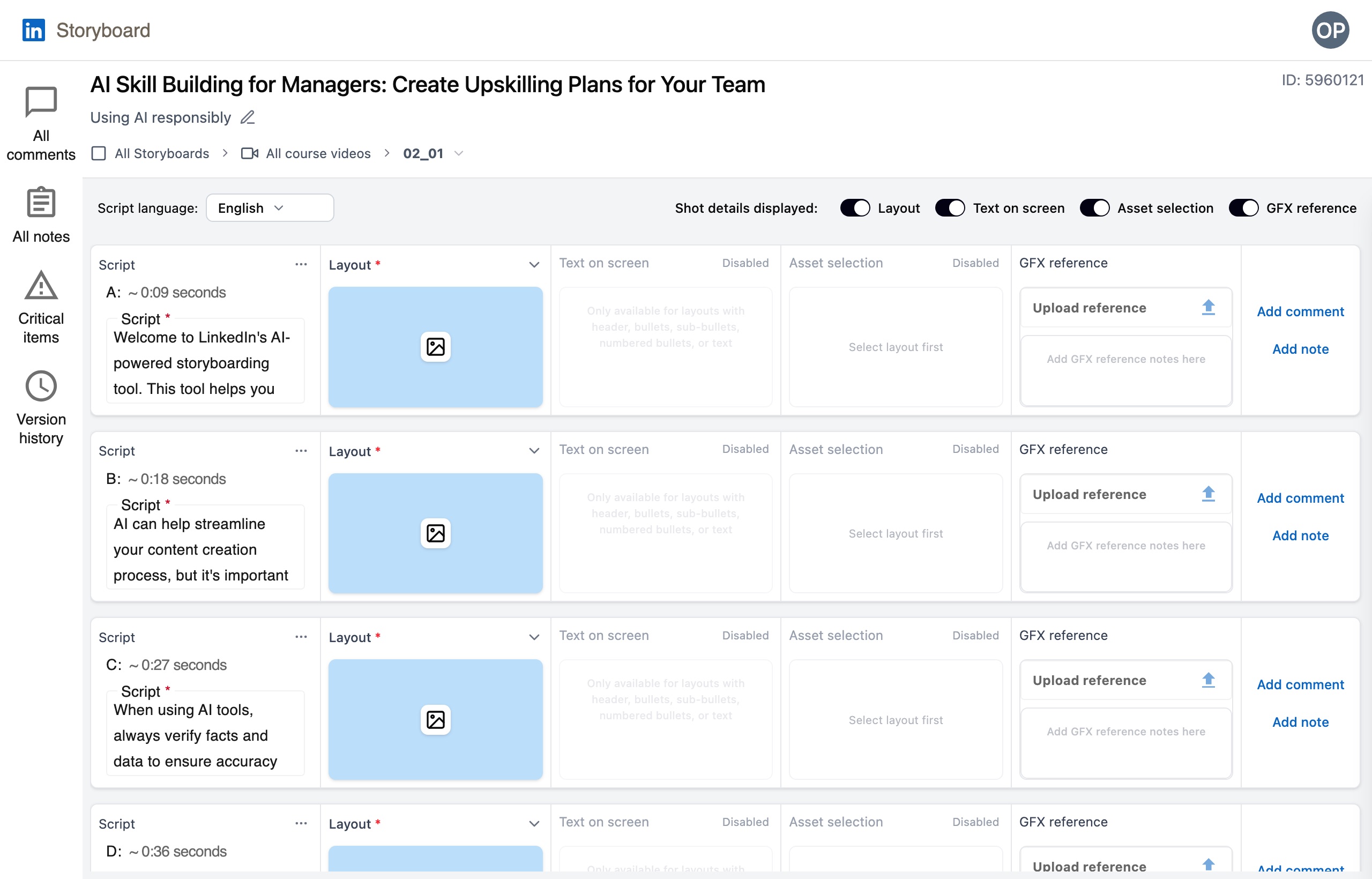
- Storyboard Plan every shot Layout, on-screen text, icons and graphics notes, with comments tagged to a team.
Built to hand off
Every screen shipped to engineering with interaction, content and spacing specs, including focus order and keyboard behavior for every control.
Prototyping with AI
Alongside the design, I led the team’s experiments with Figma Make. I used it to turn the storyboard into a working prototype, with comments, notes, the script, version history and critical items in a side panel, so the team could try new ideas before we committed to them. It also became the place we explored how AI could fit into production, like a rough first storyboard drafted from the script for producers to refine.
Courtney’s attention to detail allowed her to challenge assumptions that the users (… and the developers, too, if I’m being honest) brought to the table, experimenting with alternate layouts and interactions where it was worth the time to validate.
Dennis Meyer, lead developer, Storyboard
Where it stopped
If it picks up again, I’d start where the team’s feedback pointed: version history and project-level critical items, then an AI first draft of the storyboard that producers review, edit and approve, the same draft-then-review pattern I used in TIP.