TIP
An AI tool that drafts course content, and a review experience editors trust enough to publish under LinkedIn's name.
- Problem
- Editors wrote every quiz, summary and exam question by hand, across 5 tools, so each LinkedIn Learning course took 6 to 8 weeks.
- Solution
- An AI tool that drafts the content, with confidence scores that flag where it may be wrong and inline editing to fix it before anything publishes.
- 8 → 2 wksto produce a course, down from 6–8 weeks
- +150%content production capacity
- ~$150Ksaved year to date
- ~$525saved per course
Estimated.
-
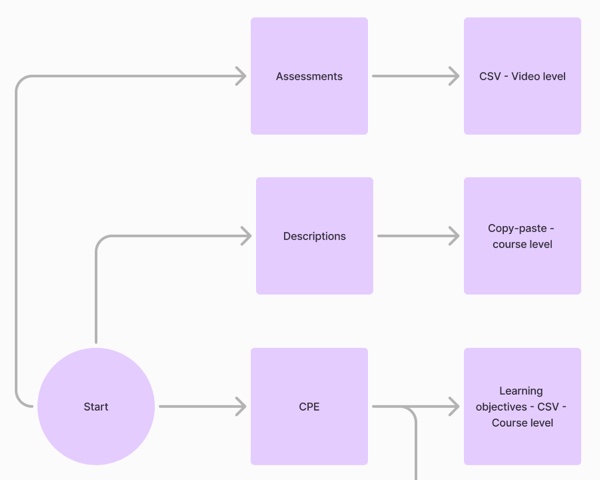 01 Map How each type of content gets made
-
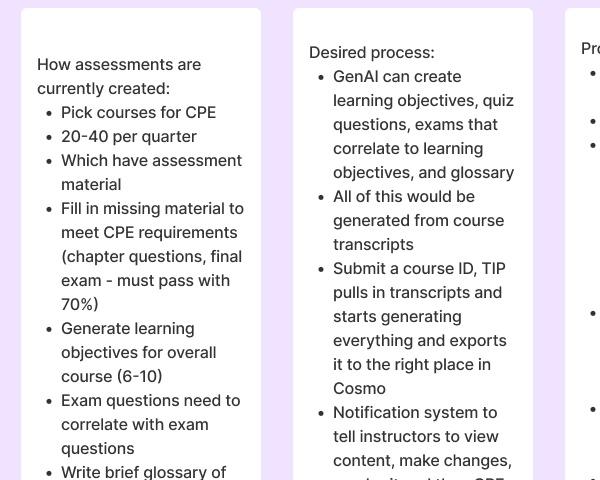 02 Listen Discovery interviews with editors
-
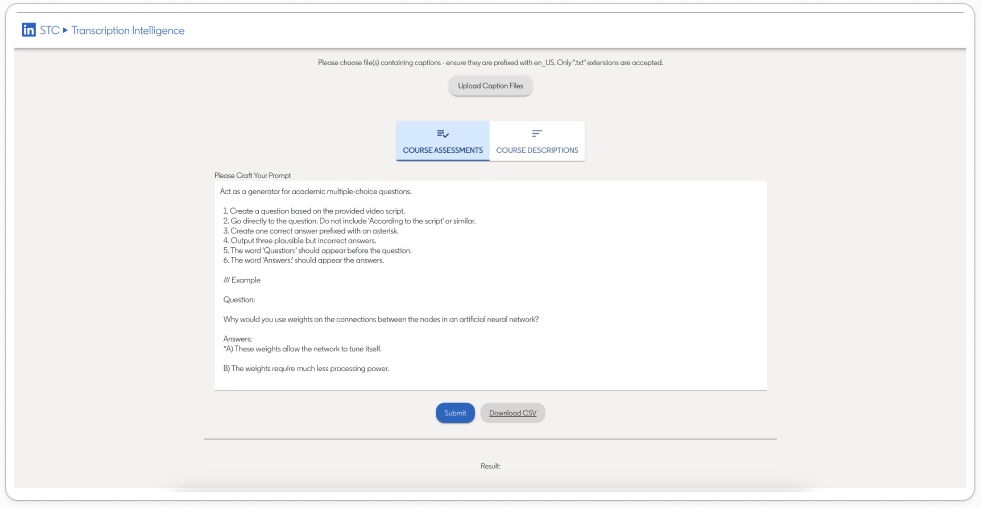 03 Audit What worked in the old TIP, and what didn't
-
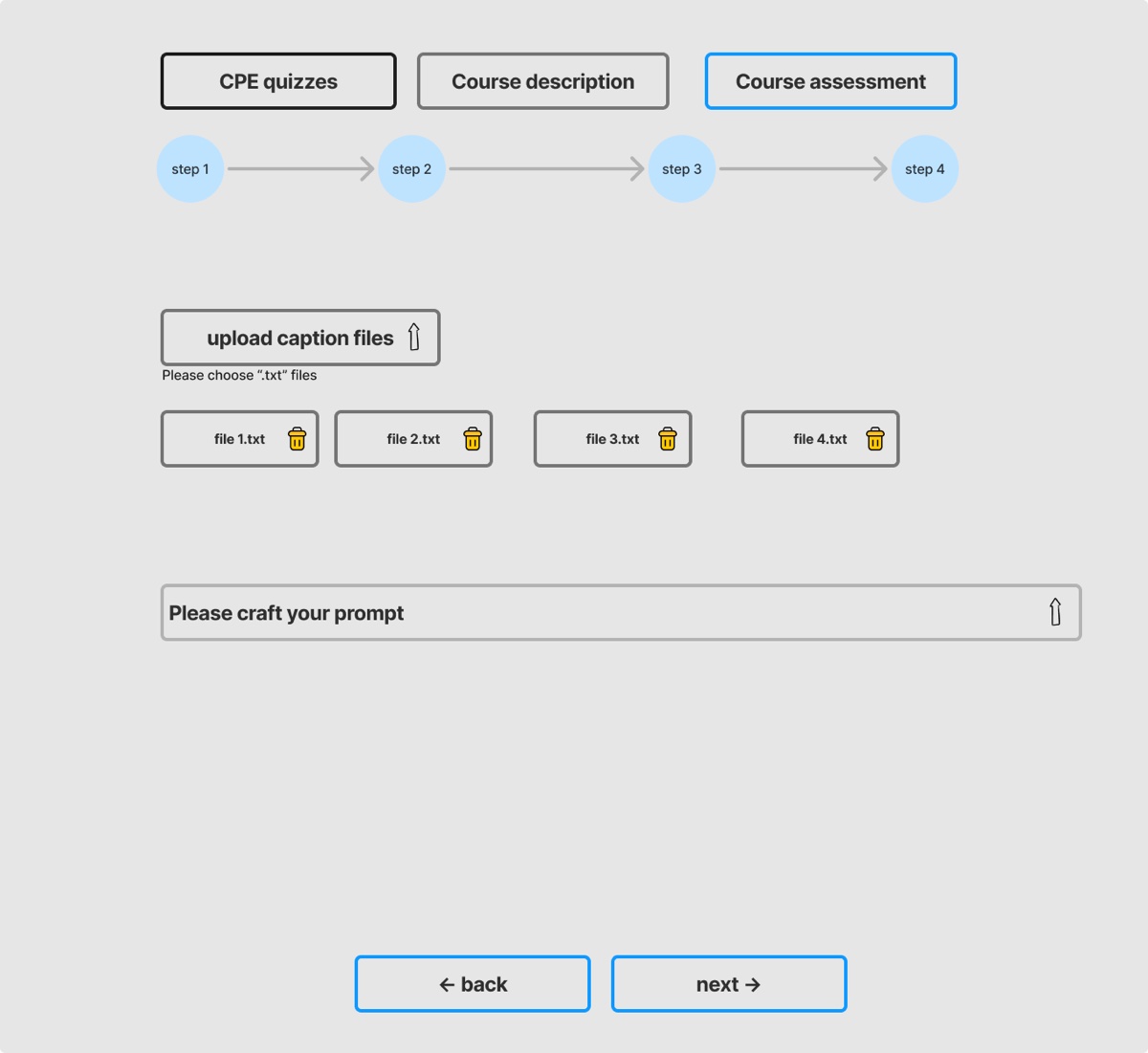 04 Explore A wizard or a chat?
-
 05 Phase Releases planned with engineering
-
 06 Test Two rounds with editors
-
 07 Prototype From course ID to export
-
 08 Ship 6–8 weeks down to 2
The problem
Every LinkedIn Learning course ships with quiz questions, exam questions and summaries. Editors made them by hand across 5 tools, and each course took 6 to 8 weeks. Here is one assessment, from an editor’s demo.
- 1Cosmo Export the course's table of contents
- 2Google Sheets Copy video names, file names and IDs into a blank assessment template
- 3 Download the transcripts as .txt files
- 4TIP Upload the English transcripts, minus the intro and conclusion
- 5TIP Paste in a prompt kept in a separate document
- 6TIP Generate the assessment questions 15 sec
- 7Excel Download the CSV and clean it up with a macro
- 8TIP Repeat for the second prompt
- 9Google Sheets Copy the file names into the template
- 10Google Sheets Repeat for the questions and answers
- 11Excel Look up video names and IDs
- 12Email Send to the instructor for approval, and wait
- 13Cosmo Import by course ID: Assessments → Create new → Import
On top of that, accessibility gaps added friction, and communication broke down between editors and the people they handed work to.
Listening to editors
I interviewed the editors behind each type of content to learn how they work and where the handoffs break.
“Assessments are created by selecting 20–40 courses per quarter that have assessment material, filling in missing pieces to meet CPE requirements (a 70% pass), generating 6–10 learning objectives, ensuring exam questions align with the exams, drafting a glossary of 8–20 terms, manually cleaning transcripts (removing non-English sections and trimming the first and last), uploading to TIP to generate prompts, and then manually pasting the prompts from a separate document.”
“My ideal solution would be, you drop in a course ID, TIP pulls the transcripts, and the AI writes the content and exports it to Cosmo. I don't want to worry.”
“Currently, course descriptions are written by assembling ~2,000 words using the course table of contents, notes, scripts, storyboards, and raw videos since we can't watch the full course. We rely on TIP to extract a clearer picture from transcripts to shape the description, and TIP plus Orchestration provide access to the raw transcripts because the final description must be published into Cosmo within 10 business days after production completes.”
“TIP should search by course ID to automatically pull transcripts, add extra context to help shape the course description, bring in draft data sources to inform the description and transcript enhancements, and share the prepared drafts directly with instructors.”
- Finding 1Two tools have to talkWe had little engineering control over Cosmo, the main tool editors used, so TIP and Cosmo had to communicate seamlessly.
- Finding 2Close the loop with instructorsNotify instructors automatically when their materials are ready, with no tracking them down by email or LinkedIn.
- Finding 3Ship it in releasesBreaking the project into releases kept our technical limits from reaching the editor's experience.
Auditing the old TIP
Before designing anything new, I reviewed the existing tool and sorted every note by what to keep, what to think about, and what had to change.
Works2
- It's obvious what to do first
- Files and questions clearly relate to each other
Think about4
- How long should I wait for the AI? How do I know it didn't crash?
- What should I see first when TIP opens?
- Show progress while the AI works
- Controls for each file, not one refresh for all
Needs to change3
- Results appeared below the screen, with no hint to scroll
- No way to cancel a run that takes too long
- Descriptions and questions generated in two different places
Wizard or chat?
Both options let editors pick a content type and upload transcripts. They differ in how the work moves forward: through numbered steps, or through one ongoing conversation with the AI.
How should editors move through generating content?
Each step has its own prompt and output. The editor reviews it and clicks Next, so learning objectives are approved before exam questions are built on them.
Became the final design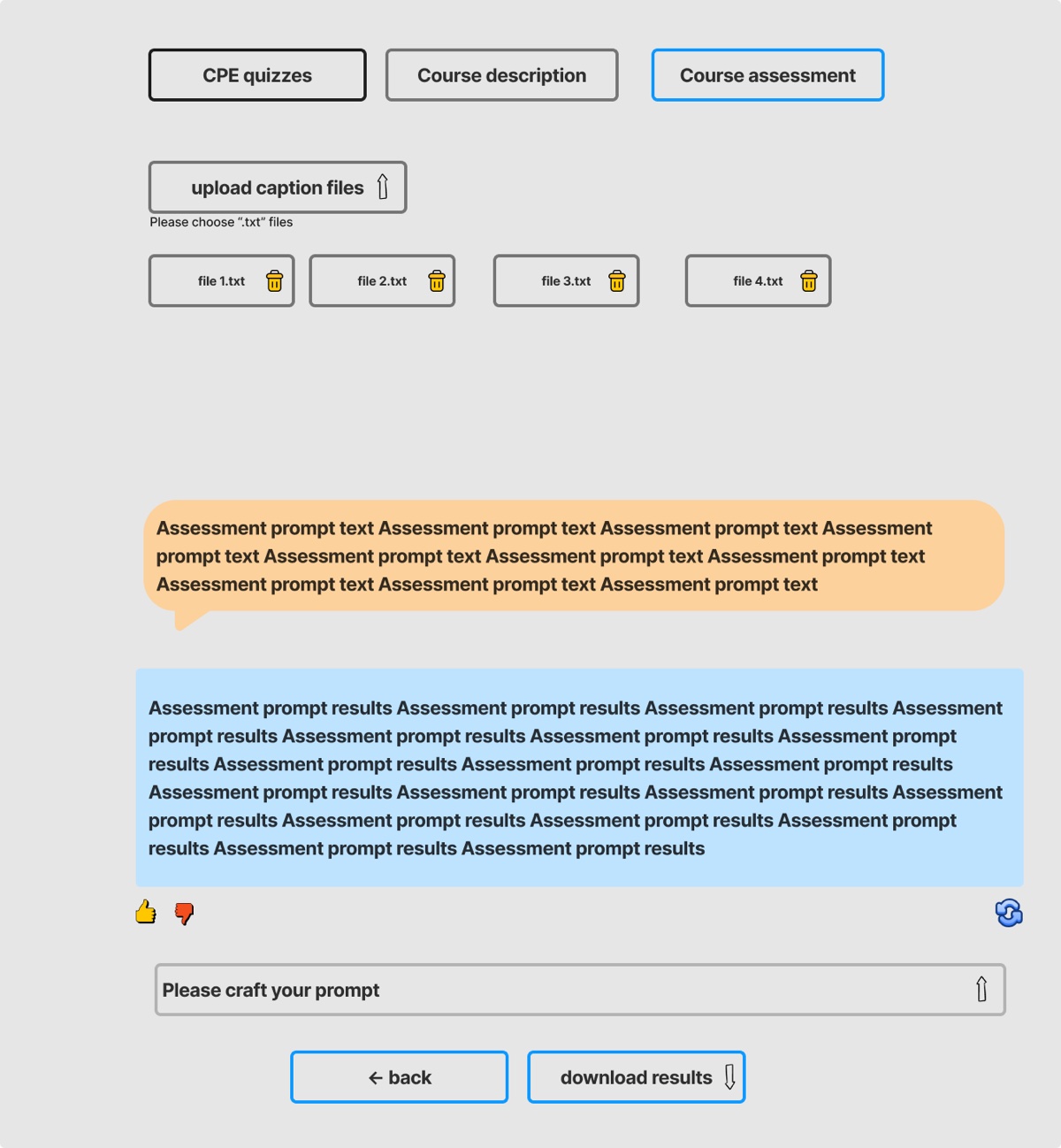
The prompt and the AI's answer appear as a thread. The editor rates the answer, regenerates it or sends a follow-up to refine it, then downloads the results.
Explored, not the final directionTo get answers fast, I messaged editors offline with both wireframes instead of scheduling calls across time zones. Four of the five editors who replied chose the wizard. It gave them more control over each step and felt less overwhelming.
I wouldn’t want to proceed to LO Exam Questions until I have reviewed and approved the LOs.
CPE editor
Phasing with engineering
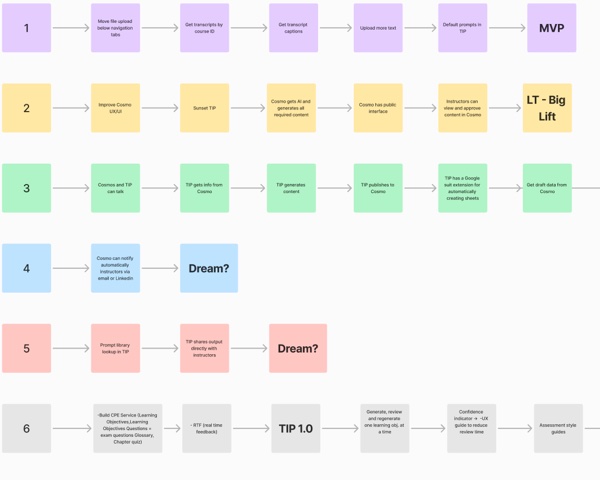
TIP couldn’t change Cosmo directly, so I worked closely with engineering to break the ideal experience into releases that were achievable and still made an impact.
- MVP · Shipped Core functionality in the existing UI
- Get transcripts by course ID
- Get transcript captions
- Upload more text
- Default prompts in TIP
- TIP 1.0 · Shipped The CPE service
- Learning objectives
- Exam questions
- Glossary
- Chapter quizzes
- Real-time feedback
- TIP 1.5 · Shipped A connected experience
- Review one learning objective at a time
- Confidence indicator
- Assessment style guides
- Course ID lookup through Orchestration
- TIP 2.0 · Planned Learn from use
- Product dashboard
- User feedback mechanism
- TIP 3.0 · Target Editors shape the AI
- Prompt templates and tones
Testing with editors
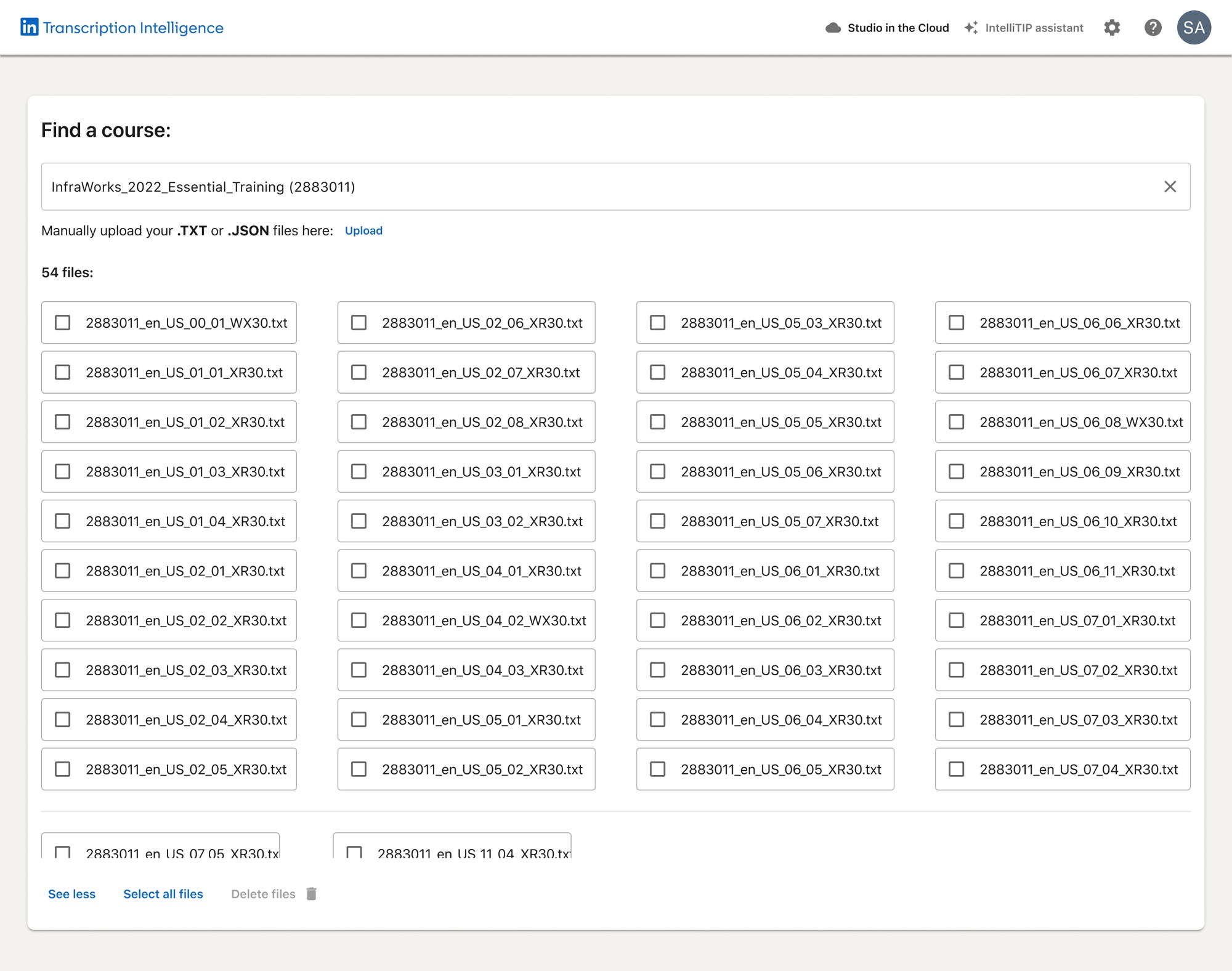
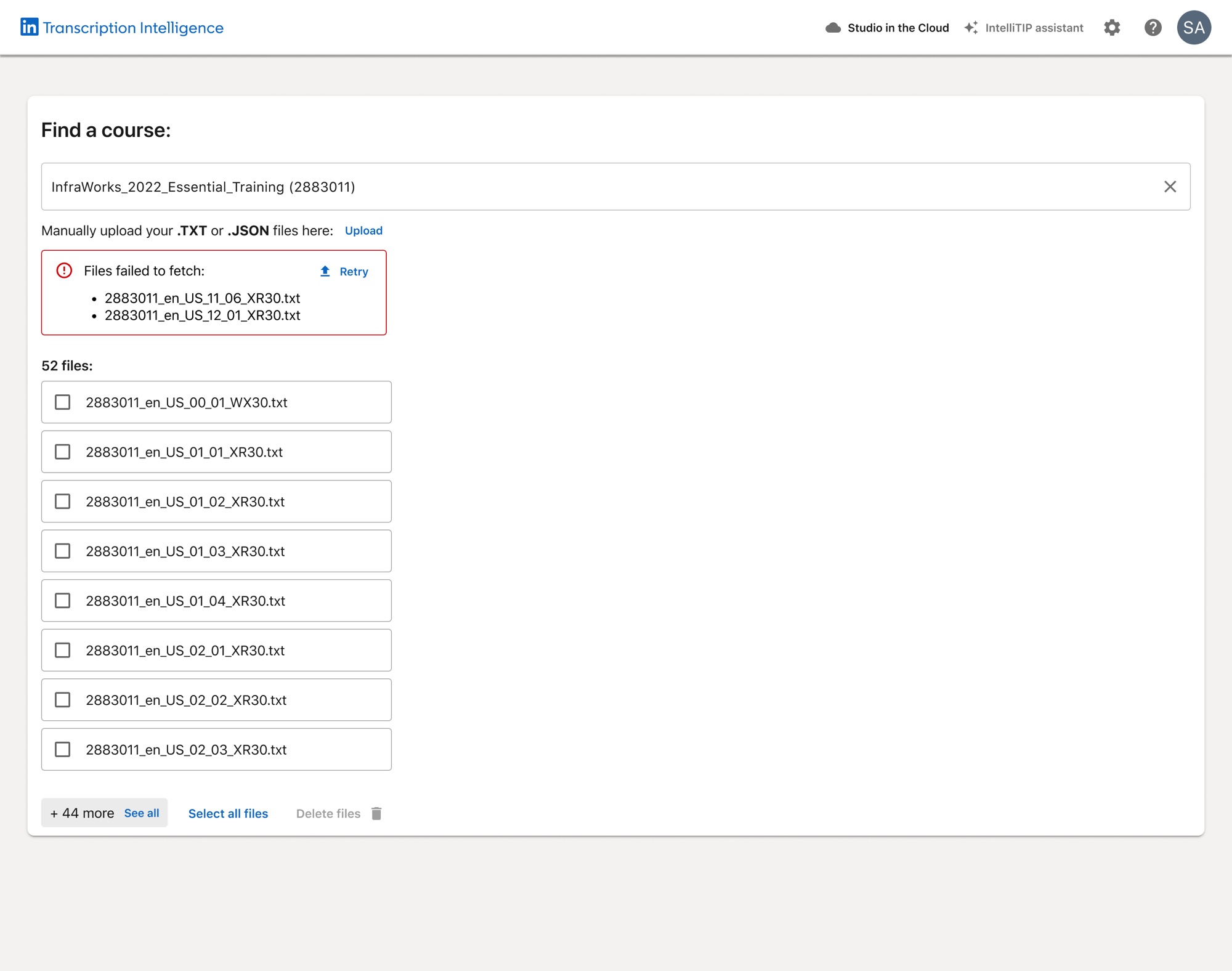
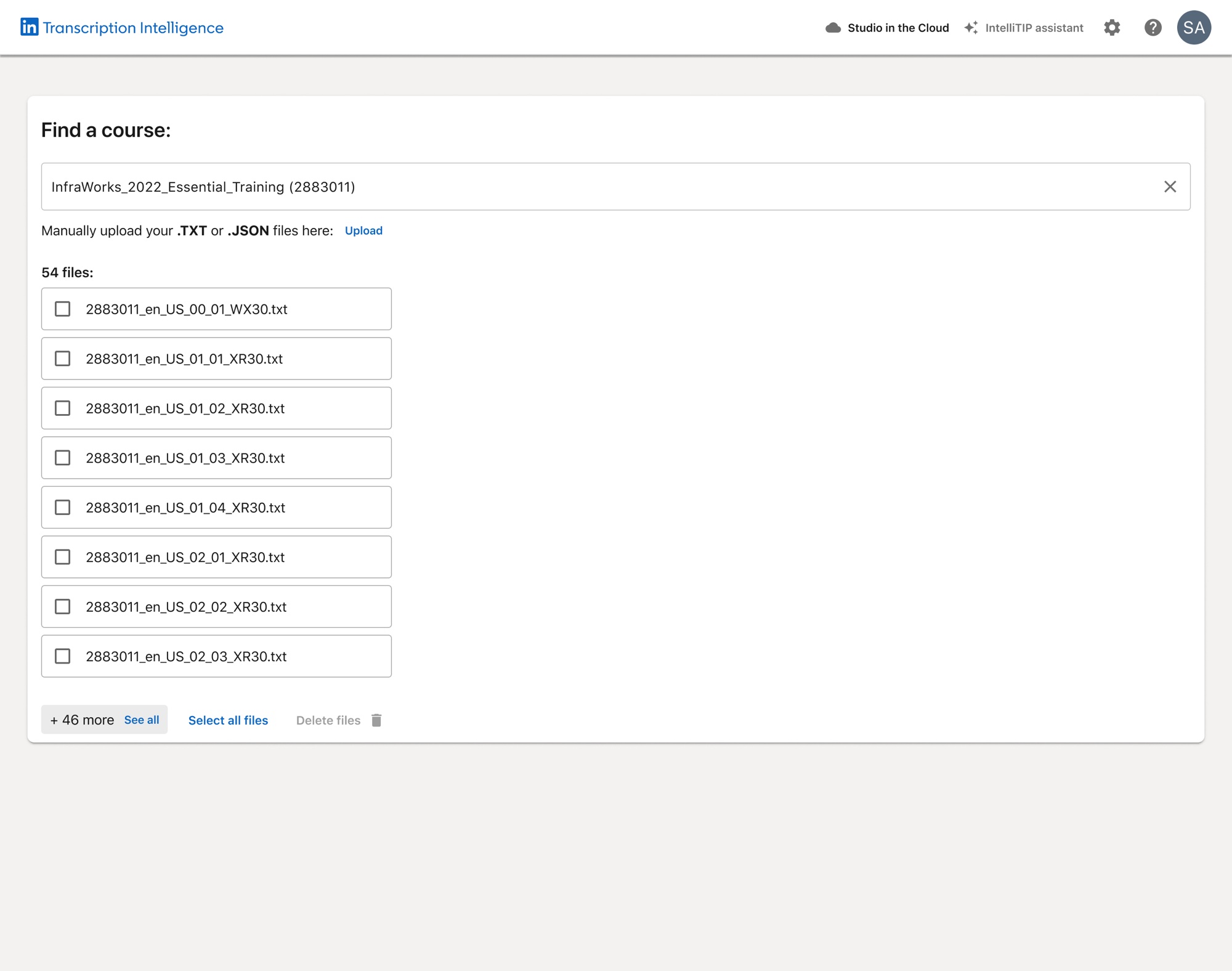
I tested the course search and file flow in two rounds with five editors. Each answer went straight into the design.
- File names in tooltipsFull file names, always visible
- Files you can't removeRemove one, several or all
- Errors anywhereErrors at the top, with Retry
- Files in one long rowRead down, then across
I also annotated the tab order and ARIA labels for every state of the search and upload flows, so engineering could build them accessibly.
Watch it
Watch an editor go from a course ID to exported content: find the course, fetch its transcripts, generate learning objectives, check the one TIP isn’t sure about, fix it and export.
Read the steps instead
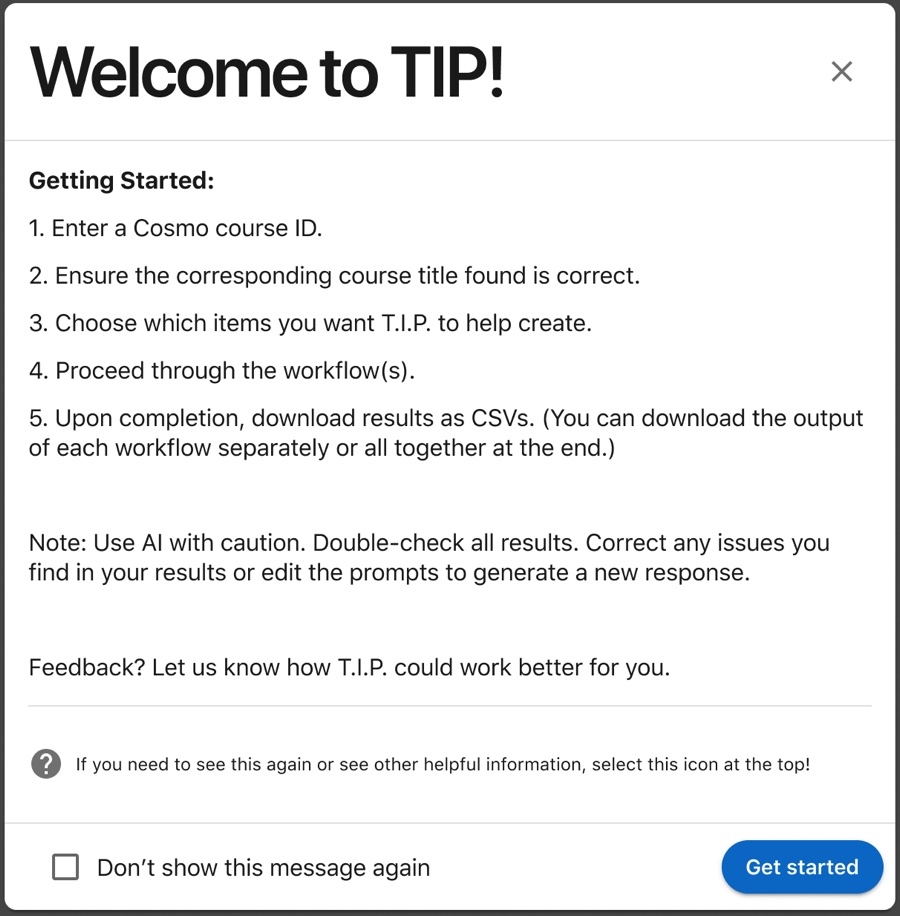
- TIP opens with a welcome that sets expectations: use AI with caution and double-check results.
- Search by course ID: type 288301, and pick InfraWorks 2022 Essential Training from the suggestions.
- Fetch every transcript in one click, instead of downloading, cleaning and uploading files.
- Two files fail. The error sits at the top, with Retry.
- All 54 files are in. See all shows every file, read down then across.
- Select the four files you don't need, delete them and confirm.
- Choose what to generate: learning objectives.
- Check the prompt. TIP says it may make mistakes before anything is generated.
- TIP drafts the learning objectives, each with a confidence score.
- One objective scores 58% and is flagged: the transcripts cover roads, not intersections.
- Fix it inline, save, and the objective is marked Edited.
- After the remaining steps, download everything, ready to go to Cosmo.
Designing for trust
I think of AI autonomy as a ladder, and choose the rung by the stakes. Course content goes out under LinkedIn’s name, so we deliberately kept TIP at draft: the AI writes, and a person decides what ships.
- Level 1 Suggest Surfaces an insight.
- Level 2 Draft Creates content for a person to review.
- Level 3 Act with approval Prepares an action and waits for a yes.
- Level 4 Act and report Acts, then reports back, with undo.
Two patterns make the draft trustworthy: confidence scores that show where the AI is most likely wrong, and inline editing to fix it right there.
- Generate
- Check the flagged objective
- Edit or regenerate it
- Download
TIP may make mistakes. Double-check your prompt and results, including quantity, before proceeding.
Learning objectives
Objectives will appear here.
| SR # | Objective | Confidence | Actions |
|---|
The outcome
Course production dropped from 6–8 weeks to 2, which made global releases possible. Content production capacity went up 150%, and LinkedIn saved about $150K year to date, roughly $525 per course. Editors reported more clarity, confidence and satisfaction.
Next: monitor the stats, keep the conversation open with editors, and evolve TIP as their AI workflow evolves.
What I learned
AI speed only matters if the workflow around it is unified and trusted.
The goal was never maximum trust in the AI. It was calibrated trust: enough that editors didn’t redo its work, and not so much that they stopped checking. Autonomy should be earned, scoped to the stakes, and always reversible.